Intuit Intelligence | AI-powered Insights for Smarter Business
Apr 14, 2026
Admin |
Estimated Read Time : 5 MIN
Why fall behind in the age of automation?
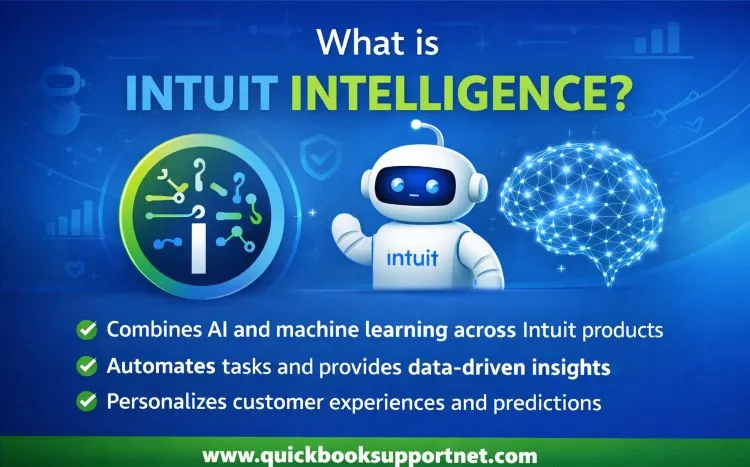
Intuit is harnessing the power of artificial intelligence and machine learning to transform accounting and business processes across its platform, under the umbrella of Intuit Intelligence.
With this innovation, you gain access to an always-on financial assistant that can help streamline processes, automate routine tasks, and support smarter decision-making—all with minimal effort. The result? Reduced manual work, increased efficiency, and better business outcomes.
In this blog, we’ll explore what Intuit Intelligence is, how it works, its key features, and how you can leverage this AI-powered assistant to optimize your workflow.
Intuit Intelligence is an AI-native, ground-up system with QuickBooks, TurboTax, and all the Intuit software that combines generative AI, data, and human expertise to turn financial records into proactive insights.
By integrating GenOS (Generative AI Operating System) directly into the platform, Intuit combines AI with customer data to automate workflows, reduce errors, and provide personalized insights. It enhances accuracy by detecting anomalies, streamlines workflows with automated tasks, and allows you to chat with data to make faster, data-backed decisions.
How Intuit Intelligence works?
Unlike generic AI tools, Intuit Intelligence is seamlessly integrated within QuickBooks, allowing it to connect directly with your accounting and payment data for a comprehensive view of your business.
Artificial Intelligence (AI) adapts to your workflow, answers detailed questions, and can carry out multi-step processes.
Business Intelligence (BI) links data across your operations to reveal insights such as patterns, trends, and future projections.
Since it works with your real-time business data, there’s no need to upload files or craft complex prompts to receive tailored assistance.
Manage Intelligence Chat prompts
Each qualifying QuickBooks plan provides up to 25 Intelligence Chat prompts per month.
Once you reach this limit, access to Intelligence Chat is temporarily suspended until your next billing cycle begins—when your prompt allowance is automatically reset.
Purchase additional prompts
You can purchase additional prompts through the Intelligence Chat add-on in two ways:
Within QuickBooks: Click Add more prompts when the notification appears after you’ve reached your monthly limit.
Online: Go to the Intuit Intelligence Chat add-on page to make a purchase.
Any extra prompts you buy are available right away and will automatically renew each month along with your subscription.
Cancel your prompt subscription
Go to Settings, then choose Subscriptions and billing.
Select Cancel and follow the prompts to complete the cancellation.
Your add-on will stay active until the end of the current billing period.
Key features and capabilities
You can use Intuit Intelligence directly from the chat box within QuickBooks to:
Conversational experience: Engage in an interactive chat with saved history, source references, and memory, available in both full-page and side-panel views.
File analysis: Upload files and use the chat to extract insights, summarise content, or perform analysis.
Business intelligence: Ask questions about key metrics and reports, with answers tailored to your business data.
Conversational search: Quickly find filtered data, including specific transactions or record lists.
Business brainstorming: Generate ideas, tackle challenges, and explore strategies using insights grounded in your business information.
Manage the companion view
Intuit Intelligence offers a companion view designed to support your workflow without getting in the way.
If you don’t need assistance, you can close the sidebar. It will stay closed for the rest of your session to minimize distractions.
To reopen it at any time, simply select the QB Intelligence icon from the navigation menu.
View your chat history
Open Intuit Intelligence in full-screen mode to access your conversation history. All past chats are listed under Recent chat history.
Conclusion
Artificial integration with your financial software enables automation without requiring much time or effort. You can manage your business with a smaller workforce, so you don’t need to worry about the budget. With this detailed guide, you must have learned about Intuit Intelligence, how it works, features & capabilities, and more.
For further assistance, it is highly recommended to connect with a QuickBooks ProAdvisor available 24/7 to ensure the best support. Dial (866) 500-0076 to connect with a certified professional now! ProAdvisor
Frequently Asked Questions
What is Intuit intelligence?
Intuit Intelligence is an AI-powered feature inside QuickBooks that combines Artificial Intelligence (AI) and Business Intelligence (BI) to give instant answers, automate tasks, and provide insights based on your business data.
How does Intuit Intelligence work?
It connects your accounting, payroll, and payment data to create a unified view of your business.
AI learns your workflows and answers questions
BI analyzes trends, patterns, and forecasts
It delivers insights in real time through a chat interface
Automating tasks like categorization and reconciliation
Analyzing uploaded files
Providing business insights and forecasts
Does Intuit Intelligence replace accountants?
No. It complements human expertise. It also connects you with:
CPAs
Bookkeepers
Financial experts
who can validate insights and guide decisions
Is Intuit Intelligence available to all users?
Currently, it is mainly available for:
QuickBooks Online users
Intuit Accountant Suite users
(Some features may still be in beta or limited access.)
About The Author
Lana Creston is an experienced technical and accounting writer with a total of 9 years of experience. She currently works on QuickBooks accounting and technical guides at QuickBookSupportNet. Lana has a passion for reading and writing about various technical topics, especially exploring new accounting methods and software, while continuously expanding her expertise in the ever-evolving field of finance and technology.
Effortlessly handle data tasks or get expert assistance with: