Confused on how to file W-2 forms in QuickBooks? Filing W-2 forms might sound complicated, but it is quite simple to fill out the W-2 form. All that is required is a simple format and explanation in easy language. The W-2 form is important for employees, employers, and the government.
Considering the importance of the W-2 form and its nature, we covered everything in this blog to fulfill your requirements.
W-2 Form
W-3 Form
Reports
An individual employee’s wages and tax withholdings.
The combined totals of all employee wages and withholdings for the company.
Issued by
The employer.
The employer.
Received by
The employee, the SSA, and the tax authorities.
The SSA only (not the employees).
Purpose
To allow employees to file their personal income tax returns.
To act as a cover sheet for the SSA and help it verify that the individual W-2 information matches the company’s totals.
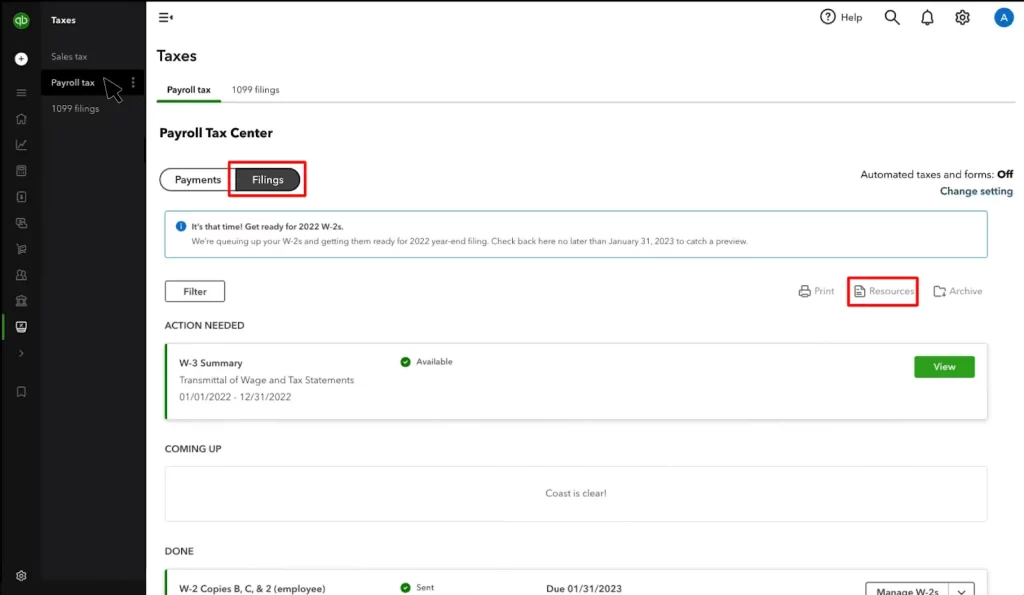
Fetch W-2 Copies A & D (Employer) in the Action Needed section.
Click on File, and if prompted, you can highlight employees who used to be active participants in their retirement plan during the tax year.
On your Employer Copies screen, click on the Form W-2 page and select View.
This will open Acrobat Reader.
Now, you can review and print Copy D for your personal records.
Once QuickBooks processes your W-2 filing, the application will send an email to notify you of its completion. If you want, you can check the filing status:
Click on Taxes and select Payroll tax.
Click on Payroll forms or filings and then choose W-2.
Step 5: Upload your W-2s to QuickBooks Workforce for your employees to view
Conclusion
W-2 forms are official tax forms that you, as an employer, can issue to each employee and the Social Security Administration. In other words, it is popularly known as the Wage and Tax Statement. In this guide, we have covered everything you need to successfully fill out the W-2 form in QuickBooks.
Frequently Asked Questions
What is a W-2 form?
A W-2 form is the official tax form that you can use to file annual federal and state income tax returns. This form is also known as the Wage and Tax Statement and provides important figures for your taxable wages and the total taxes that you must have paid.
Why is the W-2 form important?
We have three parameters on the basis of which we can analyse the importance of the W-2 form:
For Employers: It is legally required that every employer must complete the taxation process every year.
For employees: Filing and paying the tax every year is an essential part of a job. It gives an employee the taxable wages and the exact salary they are receiving every year.
For the Government: The IRS, which is the government, uses W-2 to check and confirm that the income and withholding amounts reported on your tax return must match what the employer has reported.
What is the key information on a W-2 form?
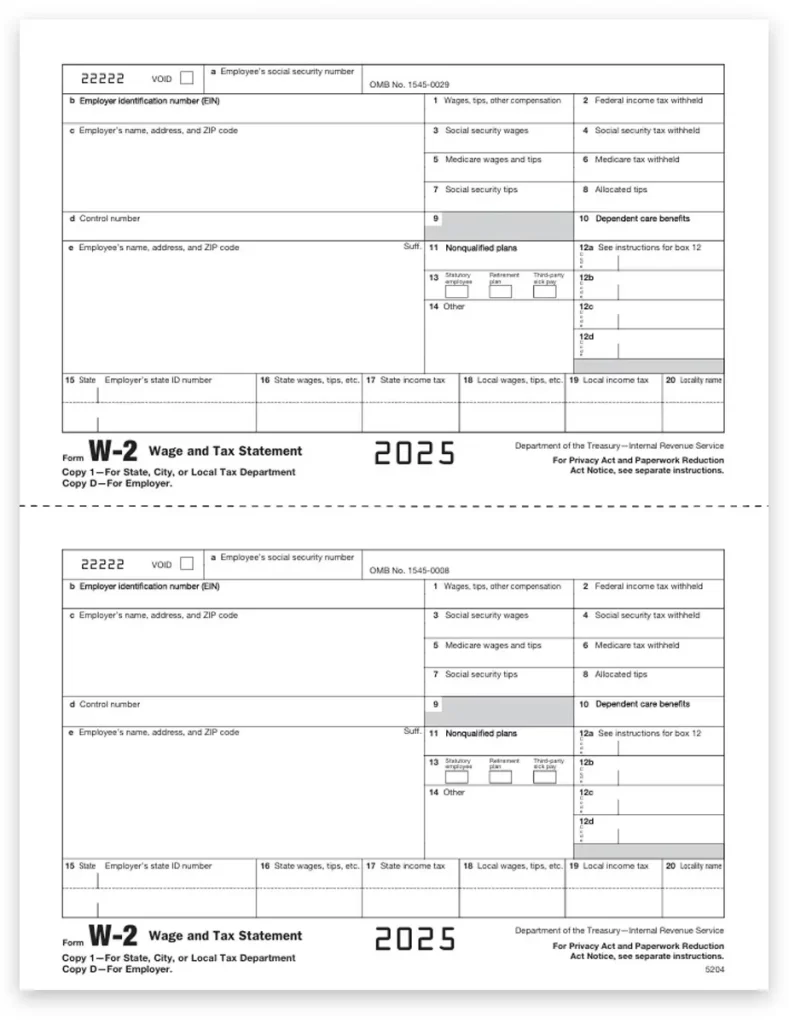
While the form contains several boxes, some of the most important include:
Box 1 (Wages, tips, other compensation): Your total taxable wages for federal income tax purposes.
Box 2 (Federal income tax withheld): The total amount of federal income tax you, as an employer, withheld from your employees’ pay.
Box 3 (Social Security wages): The portion of your wages subject to Social Security tax.
Box 4 (Social Security tax withheld): The Social Security tax your employer withheld.
Box 5 (Medicare wages and tips): The portion of your wages subject to Medicare tax.
Box 6 (Medicare tax withheld): The Medicare tax your employer withheld.
Boxes 15–20 (State and local taxes): These boxes provide information on your state and local wages and tax withholdings.
About The Author
Lana Creston is an experienced technical and accounting writer with a total of 9 years of experience. She currently works on QuickBooks accounting and technical guides at QuickBookSupportNet. Lana has a passion for reading and writing about various technical topics, especially exploring new accounting methods and software, while continuously expanding her expertise in the ever-evolving field of finance and technology.
Effortlessly handle data tasks or get expert assistance with: