Learn How to Merge Vendors in QuickBooks Desktop
Mar 19, 2026


Dec 15, 2025
Admin |
Estimated Read Time : 5 MIN
We get numerous emails, queries, and calls regarding the banking error issue 324 that QuickBooks user faces. You cannot say that it is the QuickBooks error since it could be the bank’s server issue or your browser issue. However, when everything does not go as planned, banking errors can strike, one of the most frequent of which is QuickBooks Error 324.
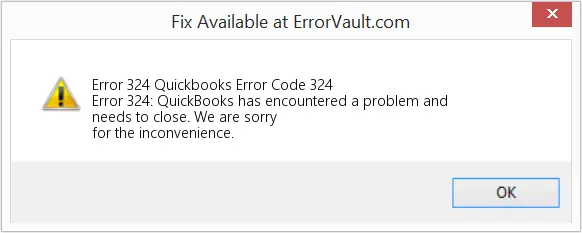
Facing a banking error is one of the most critical headaches while resolving, since it could take you to the bank office directly, consuming your time and energy both at once. Considering all the troubles you could face, we drafted this blog that contains top-rated solutions to fix the QuickBooks Error 324.
There are multiple causes behind the QB error 324. Look below to catch the issue you are facing:
In short, any change on the bank’s side or within how you label accounts in QuickBooks can break the “link” QBO relies on to fetch transactions.
When Error Code 324 arises in QuickBooks Online, you may experience:
This effectively stalls the automatic bank-feed functionality, which many users depend on for streamlined accounting.
Read More – Fix QuickBooks Bank Error 155
There are multiple solutions for a single error, and it depends on your system requirements, QuickBooks version, and the nature of the error. We have shared some solutions that are based on Experts’ advice for troubleshooting and fixing banking errors – QuickBooks – Intuit.
Sometimes the issue is simply that two (or more) accounts in QuickBooks have the same or similar names, making the bank-feed connection ambiguous. To fix:
This step is especially helpful if “multiple accounts with the same name” is suspected.
If renaming does not resolve the issue:
Often, this forces QuickBooks to re-sync with bank credentials and recognize the account again.
If your bank changed the account number or reassigned a new credit card, or if the old credentials are no longer valid, a fresh connection may be needed.
Case A: Keep the old account in QuickBooks
Case B: Start fresh
With a fresh connection, QuickBooks should successfully locate the account and resume downloading transactions.
Many QuickBooks users note additional practices that can help when “QuickBooks Error Code 324” persists. If you are in a spirit, “I cannot resolve a bank connection error message.”
These additional steps can be useful, especially if there are underlying browser or network issues, or if your bank’s servers cause frequent disruptions.
Since you have reached so far, understanding how to avoid such banking issues could prove to be a milestone in your journey with QuickBooks. We have shared some tips that would be helpful for you:
It is observed that QuickBooks error 324 can be resolved with a few simple solutions, such as renaming accounts, refreshing/updating the bank connection, or disconnecting and reconnecting accounts. In addition to this, clearing browser cache or manually importing transactions could offer alternative solutions to fix the error.
Thanks for being with us! We understand how difficult a situation can be when such an error strikes and disrupts the whole functionality of your work. Sometimes, the error sounds stubborn and requires advanced troubleshooting, so if you are still dealing with the error, contact our senior QuickBooks specialist at +1(866)500-0076.
1. What exactly is QuickBooks Error 324?
Error 324 occurs when QuickBooks Online cannot locate the bank or credit-card account you set up, usually because your bank changed details, you closed the account, or there are duplicate accounts with the same name.
2. Why did I get QuickBooks Error Code 324 even though I didn’t change anything?
Even if you did not make changes yourself, your bank might have done so, for example, server migration, re-issuance of account/credit card, or back-end restructuring. That disrupts QuickBooks’ ability to match the account and triggers the error.
3. Will renaming the account in QuickBooks fix Banking Error 324?
Yes, it is possible if the issue arises because there are multiple accounts with the same or similar names. Renaming the account makes it unique so QuickBooks can correctly match it during the bank feed connection.
4. My bank recently changed my account number. How do I update QuickBooks to avoid Error 324?
In this case, disconnect the old account in QuickBooks and reconnect the new account or credit card. You can also create a new account in QuickBooks and, if needed, merge it with previous data.
5. What if I keep getting QuickBooks Online Banking Error 324 after trying all fixes?
If renaming, refreshing, and reconnecting with your bank account fails to help, you can try clearing your browser cache/cookies, using a different browser or incognito mode, or importing transactions manually.
6. I cannot resolve a bank connection error message. What should I do?
If you are not able to resolve the QuickBooks banking error 324, immediately contact QuickBooks Support Net at +1(866)500-0076.


Quick, clear, and hassle-free QuickBooks assistance.
Learn How to Merge Vendors in QuickBooks Desktop
Mar 19, 2026
Change Sales Tax Rate in QuickBooks Online
Mar 16, 2026