Oct 27, 2025
Admin |
Estimated Read Time : 5 MIN
Is your QuickBooks Outlook not responding, or are you unable to select Outlook as your preferred email option when sending invoices via email?
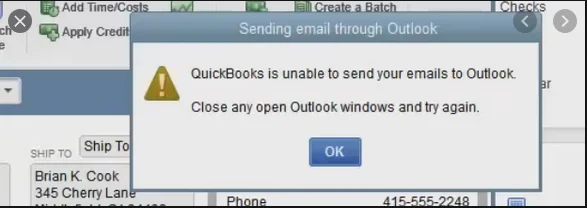
Such issues often arise when the email preference is set incorrectly or when you’re using an outdated application. You may also encounter a warning message on your screen:
‘Error: QuickBooks is unable to send your email to Outlook.’

To help you email invoices, PDFs, and other documents, we’ve compiled this comprehensive guide with a detailed list of possible causes and steps to resolve them. Follow this guide to email your documents without interruption.
Table of Contents
ToggleYou may be unable to send emails from Outlook in QuickBooks for several reasons, which we’ll discuss below. Let’s explore each of these individually:
Read More – System Requirements for QuickBooks Desktop
In this section, we will explore different ways to help you resolve the root cause of why QuickBooks Outlook is not responding. This way, you can email your documents, invoices, and more without interruption.
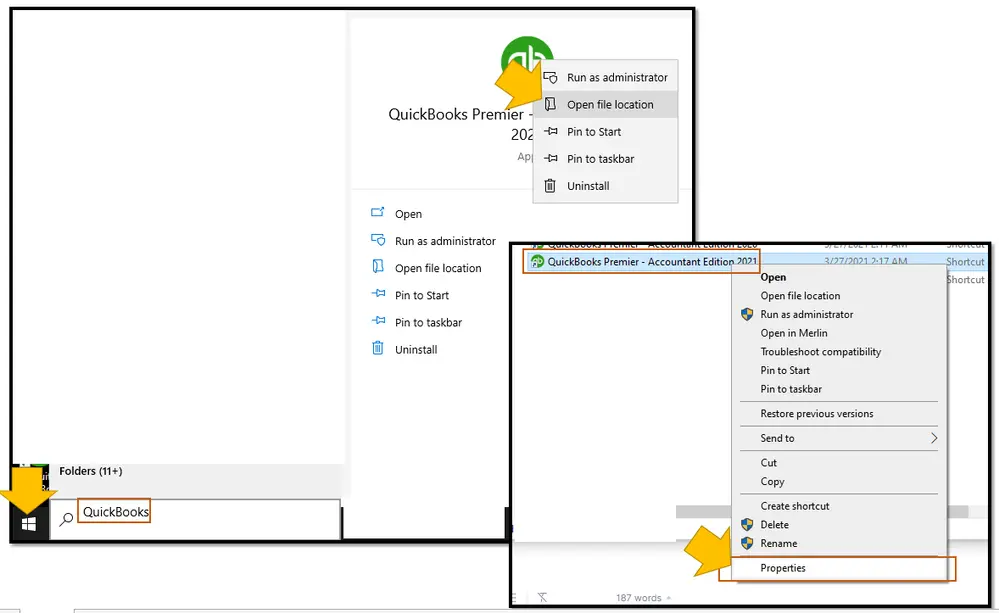
Make sure QuickBooks isn’t set to automatically run as an administrator.

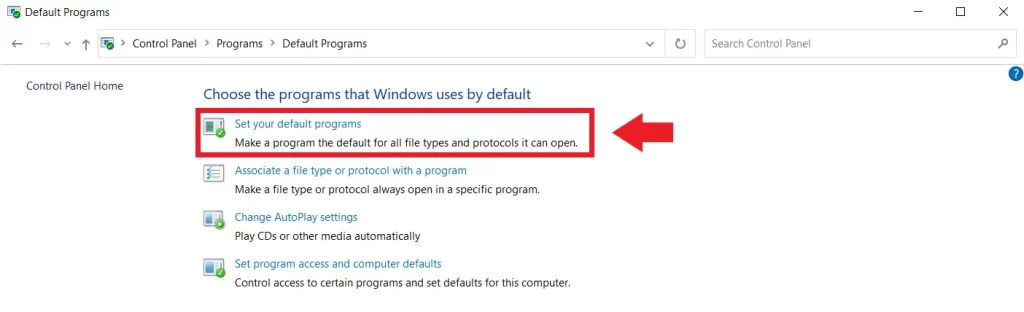
Set MS Outlook as your preferred email in QuickBooks:

Try sending an email as a test from QuickBooks. If you see the error, toggle the preferences.
Learn More – QuickBooks Internet Connection Error Read Error
QuickBooks uses Internet Explorer to run background services. To reset email preferences in the browser:

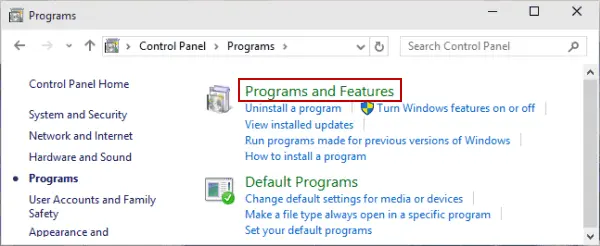
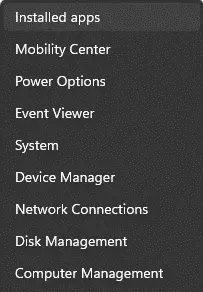
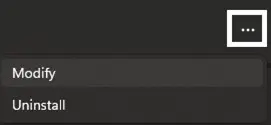
A technical issue or a conflict between multiple versions can cause program damage or corruption. Let’s uninstall and reinstall MS Office by following these steps:

| Tip: If you have Microsoft 365 apps as part of the MS Suite, such as Office Home and Student or Microsoft 365, look for the suite name. For stand-alone apps, search for them by the app name, such as Project or Visio. In most cases, you might fail to remove an individual app if it’s included in your Microsoft 365 suite. The only way to remove the app is if you have installed it as a stand-alone app. |
Also See – Change QuickBooks License Number or Product code
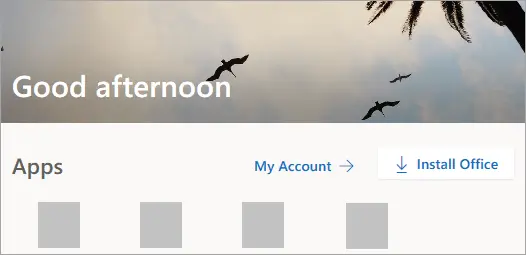
You signed in with a Microsoft account

You signed in with a work or school account

| Important: Installing the 64-bit version of Microsoft Outlook may help resolve the issue. If you are unsure whether your system supports both 32-bit and 64-bit versions of Outlook, check Microsoft’s website for confirmation. |
These steps can be a bit challenging. Follow the steps below only if you’re a confident user. Otherwise, contact an IT expert for assistance.
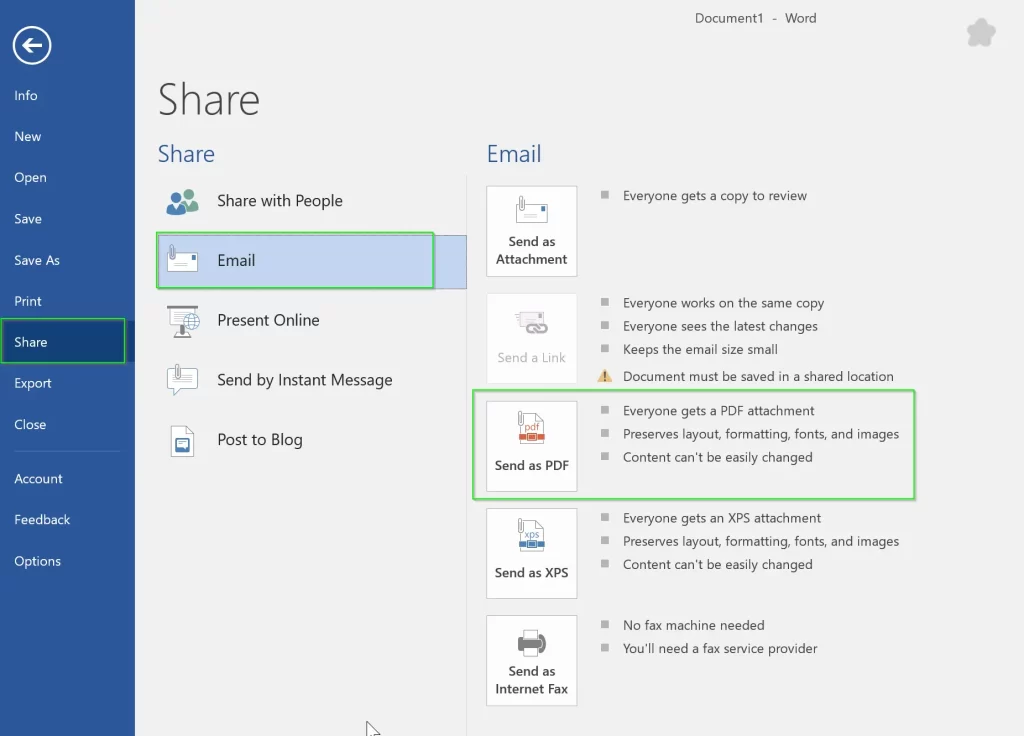
Let’s narrow down the issue by running the test:

Send a test email. If you’re unable to email from Microsoft Word, contact Microsoft Help and Support for assistance. There can be an issue with Microsoft Outlook or Office Suite.
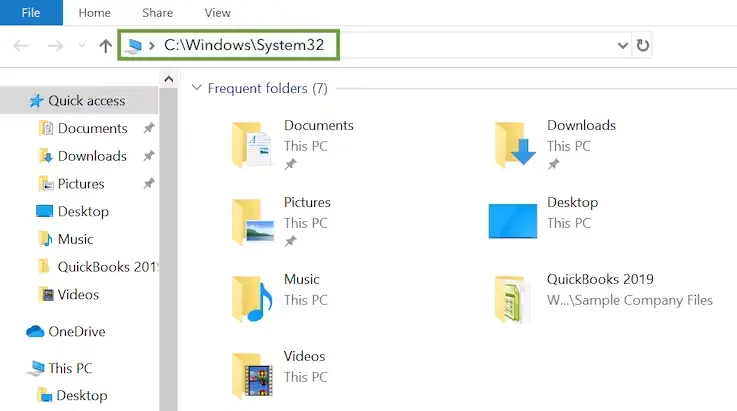
If you can send an email from Microsoft QuickBooks, but not in QuickBooks, follow the steps below to repair your MAPI32.dll:

Open QuickBooks and send a test email or a transaction.
Read Also – QuickBooks Crashing Error When Sending Emails
Reinstalling QuickBooks Desktop involves removing all the files and folders associated with QuickBooks and then performing a fresh installation of the software. This resolves all the problems associated with a program, which is why Outlook might not be working, or you may encounter other performance-related issues.
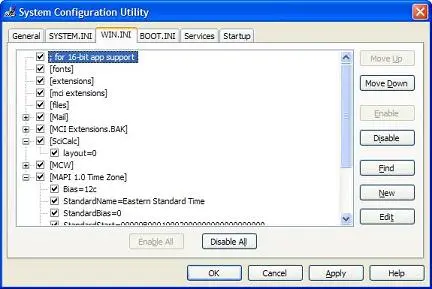
A WIN.INI file is a Windows file that stores specific system settings, including email settings.
Important: It is recommended to consult an IT professional to avoid deleting or editing the file incorrectly, which might cause problems on your system.

Select Copy full path.
Note: Make sure to save the backup copy in a different location.
Note: If you’re unable to edit the WIN.INI file due to Windows user access permissions, sign in as the Windows Administrator user and do it again.
If this does not resolve the problem, edit the WIN.INI again and remove the text that was added, or replace the file with the copy that was saved earlier.
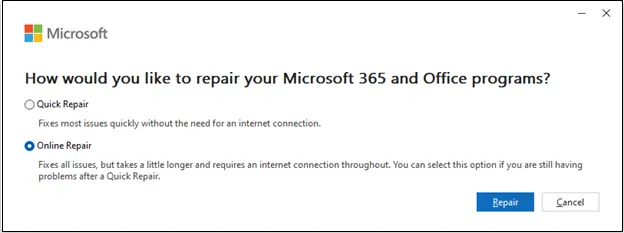
You may see the message ‘QuickBooks Outlook not responding’ if the application is damaged or conflicts with third-party software. Let’s run the detection and repair in Outlook:


| Note: This will repair the entire Microsoft 365 suite, even if you are repairing a single application, such as Word or Excel. If you use a stand-alone app, search for the application and repair it. |

Outlook is one of the email options in QuickBooks Desktop that allows you to choose it as a preferred email option. There are still instances where it may not work and an error may occur, such as ‘QuickBooks Outlook Not Responding.’
The information above will help you identify the root cause and resolve it, ensuring you can easily attach documents and share invoices with your clients.
For further assistance, it is recommended to connect with a QuickBookSupportNet ProAdvisor. Dial +1(866)500-0076 and talk to an expert now!
Outlook may not be responding due to many reasons, such as outdated software, too many add-ins, a large mailbox, or corrupted Outlook data files.
QuickBooks Desktop may not be responding due to software conflicts, corrupted installation files, an outdated QuickBooks version, insufficient system resources, or problems with your company file.
To fix “QuickBooks is unable to send your email to Outlook,” try toggling your email preference in QuickBooks by going to Edit > Preferences > Send Forms > My Preferences, selecting and then re-selecting your preferred email program (like Outlook).
Yes, QuickBooks integrates with Outlook as an alternative email solution. When sending emails in QuickBooks, you can configure Outlook as your preferred email and share attachments through it.
For Outlook.com accounts, the SMTP server is smtp-mail.outlook.com on port 587, using STARTTLS encryption and modern authentication. The username is your full email address, and your password is required.
Lana Creston is an experienced technical and accounting writer with a total of 9 years of experience. She currently works on QuickBooks accounting and technical guides at QuickBookSupportNet. Lana has a passion for reading and writing about various technical topics, especially exploring new accounting methods and software, while continuously expanding her expertise in the ever-evolving field of finance and technology.
Quick, clear, and hassle-free QuickBooks assistance.
Microsoft is ending support for the Windows 10 OS
Dec 13, 2025
QuickBooks for Mac: Everything You Need to Know
Dec 12, 2025
Learn How to Create and File QuickBooks 1099 Forms
Dec 10, 2025