QuickBooks Support Tools 2026 | A Detailed Guide
Nov 23, 2026


Isn’t it quite disruptive to find yourself in a situation where you fail to access the QuickBooks data file? You might be thinking, what’s the actual reason behind this? The users mainly caught themselves in such a situation due to QuickBooks Error 6129, 0. Failure in the connection of the database server is one of the reasons that might lead to this error. Unfortunately, this error prevents the users from accessing their data files, which might hamper their workflow.
However, if you are also chasing Error 6129, 0 in QuickBooks, this is the right destination you are looking for. Review this entire post thoroughly and find the best ways to overcome this company file error.
Are you finding it difficult to access your company file due to QuickBooks Errors 6129, 0 and need instant help? Call us anytime anywhere and consult with our professionals instantly without causing further delays for quick resolution.
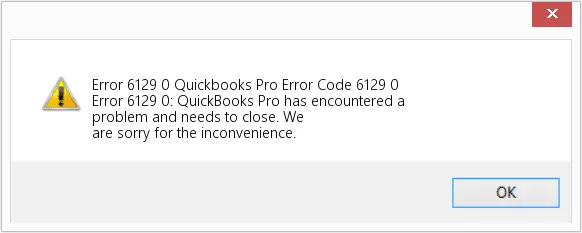
The users might confront QuickBooks Error Code 6129, 0 anytime while accessing their data file with the error message “QuickBooks Pro has encountered a problem and needs to close. We are sorry for the inconvenience.” Another possible reason behind this error is that the QuickBooks Database Server Manager has no permission to access the file.
Whenever the users confront this error, they won’t be able to resume their ongoing business tasks. So, it’s important to resolve the issue and regain access to the data file by implementing the resolution methods explained further in this post.
Before diving into the troubleshooting part, knowing the root causes behind Error 6129, 0 QuickBooks is essential. So, to give a clear picture, you must look at the pointers listed below.
Here, we have illustrated some common signs and symptoms that will help you determine the occurrence of QuickBooks Company File Error 6129, 0.
Are you sick and tired of getting the proper resolution method to tackle QuickBooks Errors 6129, 0? In that scenario, you don’t have to worry any longer, as we have discussed all the best feasible ways to kick out this error. So, look at all the solutions described below and use the one according to the cause of the error.
Sometimes, the users can repair the damage in the Network Data file in QuickBooks by changing the file name. Thus, it would help the users prevent the QuickBooks Error Code 6129, 0.
Sometimes, the issues with the company file location might give rise to Error 6129, 0 in QuickBooks. In that scenario, you must try changing the company file location by following the steps below to overcome the issue.
Follow the process below to run the clean install tool and database server manager to resolve the QuickBooks Company File Error 6129, 0.
Fixing the QuickBooks Error 6129, 0 can be challenging if you don’t get proper resolution methods to fix them. So, we hope that by reading this comprehensive post, you can easily tackle the error and regain access to your data file. However, if you still require expert suggestions regarding this issue, you can get help from our professionals. They will listen to your query and offer you with a sure-shot solutions.
Ans. You can prevent the QuickBooks Error 6129, 0 from occurring in the future by generating the backup file and updating QuickBooks Desktop and Windows to the supported versions. Also, you must ensure that you log in to QuickBooks with Windows Administrative credentials.
Ans. Yes, the users can overcome the QuickBooks Company File Error 6129, 0 by turning off the antivirus in safe mode. For that, you must perform the steps given below.
Ans. No, your company file data won’t get hampered by running the QuickBooks Clean Install Tool. Therefore, if you feel so, keep the backup data file to avoid further discrepancies.
Ans. The users might come across QuickBooks Error 6129, 0 for several reasons, such as issues with the Windows operating system. Sometimes, this issue is generated while using an unsupported Windows version or an inappropriate QuickBooks installation. You can resolve this issue by following the methods explained in this article.
Ans. If nothing in this post helps you fix QuickBooks Error 6129, 0, then it’s best to get help from our experts. You can drop a mail or consult our experts via the live chat facility for instant help.


QuickBooks Support Tools 2026 | A Detailed Guide
Nov 23, 2026
How to Fix QuickBooks Outlook Is Not Responding
Nov 13, 2026