Jan 26, 2026
Admin |
Estimated Read Time : 5 MIN
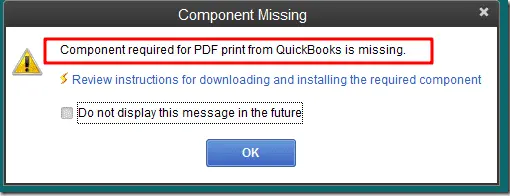
It may seem like a minor issue at first, but when you are unable to print documents or convert files to PDF in QuickBooks, whether it is an invoice, report, or payroll form, delays in PDF or print functionality can disrupt your workflow. Addressing the QuickBooks PDF missing component error promptly helps prevent workflow interruptions and last-minute stress.

This guide provides a structured approach to identifying the cause of the error and applying the right solution efficiently. You can also bookmark this resource for future reference, as the troubleshooting methods outlined here can be useful.
Table of Contents
Toggle| There is a problem connecting to your currently selected printer, Microsoft XPS Document Writer on XPS port. |
| Could not print to the printer. |
| Error: QuickBooks cannot complete the current action due to a missing component: Missing PDF file component. |
| QuickBooks is not responding. |
| PDF Converter shows offline. |
| You cannot print directly to the QuickBooks PDF Converter. |
| The device is not ready. |
| Unable to save as a .pdf file. |
| QuickBooks could not save your form or reports as a .pdf. |
| QuickBooks freezes when you try to reconcile accounts. |
| Print Driver Host for 32-bit Applications has Stopped Working. |
| QuickBooks Unrecoverable error. |
| QuickBooks PDF Converter Activation Error -20, -30, or -41. |
| Error 1722 or 1801 when installing PDF Converter. |
| Problems printing transactions or reports. |
| The reconcile window disappears or doesn’t show |
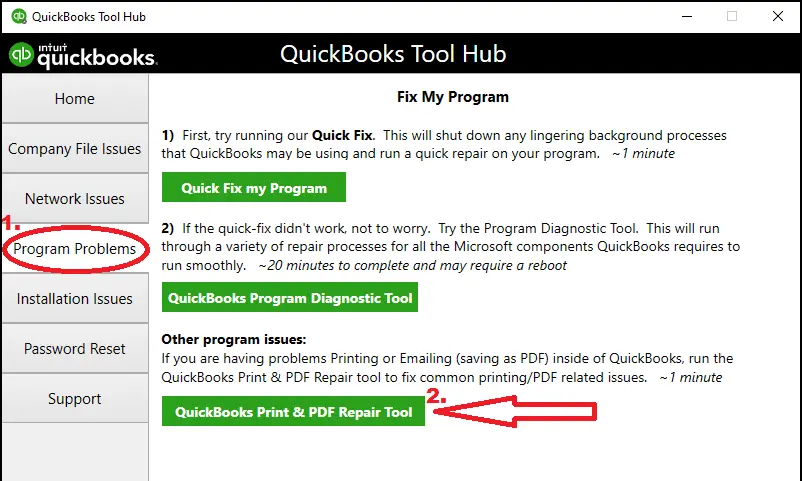
Note:- If you have already installed QuickBooks Tool Hub in your system, you can check the version of the application. To confirm, click on the Home tab, and you will find the version at the bottom of the menu.

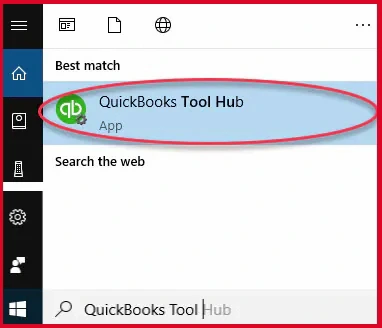
Note:- In case you did not find the icon, click on the Windows Start menu and search for QuickBooks Tool Hub. Open the program.


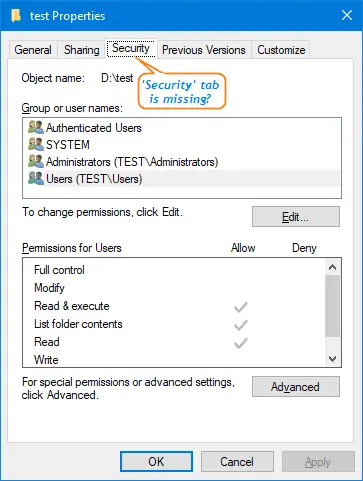
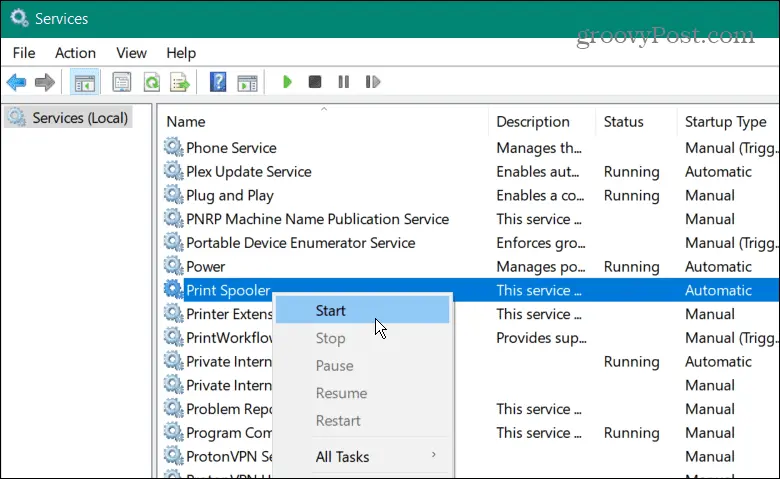
In this step, you need to restart your workstation and then try again. In case the issue is still not fixed, reset your temp folder permissions.


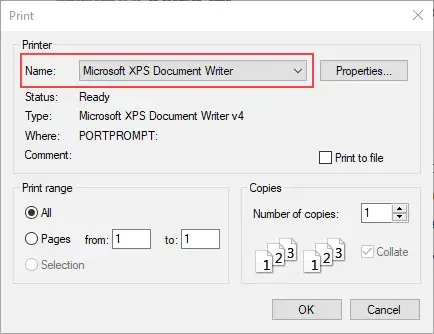
Note:- In case your computer did not recognize the XPS Document Writer, you need to allow your PC to print to your XPS printer.
In case you experience that you cannot print to your XPS printer outside of QuickBooks, you should contact an IT professional or Microsoft support for a fix.


In case a Windows user does not have enough permissions to print the XPS Document Writer, QuickBooks cannot convert the file to a .pdf. To fix it, you are required to sign in with Admin Rights to fix the permissions.
It is frustrating to see yourself in a situation where an important document waiting to be shared with clients in a PDF format cannot be converted into a PDF. Or, when you need to post important documents, and suddenly there is an error to print documents.
This guide gave you a complete solution to resolve the QuickBooks PDF missing component error. In case if you have tried all the standard fixes and still the error is not resolved, contact our senior QuickBooks specialist at +1(866)500-0076 since the error requires an advanced technical solution.
If you are moving ahead to fix the QuickBooks PDF error, follow the steps:
Why does QuickBooks use XPS Document Writer?
QuickBooks relies on Microsoft XPS Document Writer as part of its PDF creation process because:
If the XPS Document Writer is missing, damaged, or disabled, QuickBooks may fail to create PDFs or show errors like “QuickBooks could not save your form as a PDF.”
Can antivirus software block QuickBooks PDF creation?
Yes, antivirus or security software can block QuickBooks PDF creation.
This happens when the antivirus:
How do I reinstall QuickBooks PDF Converter manually?
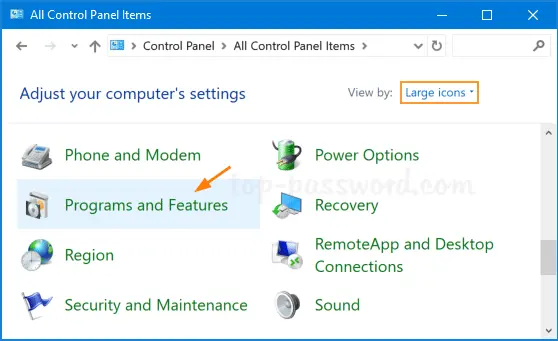
You can manually reinstall the QuickBooks PDF Converter using Windows printer settings:
How do I know if my PDF Converter is offline?
Check Devices and Printers if “QuickBooks PDF Converter” shows Offline or Paused; it is not working.
Does QuickBooks Online face a similar PDF error as the Desktop?
Yes, if you are using an outdated browser for QuickBooks Online, then you may get the same pdf error.
Can I reinstall QuickBooks to resolve the PDF and print issue?
You can try it, but there is no 100% possibility that it could fix the PDF and print error of QuickBooks.
Is the QuickBooks PDF Repair Tool automatically installed?
You need to install the QB PDF Repair tool using Intuit’s official website.
Lana Creston is an experienced technical and accounting writer with a total of 9 years of experience. She currently works on QuickBooks accounting and technical guides at QuickBookSupportNet. Lana has a passion for reading and writing about various technical topics, especially exploring new accounting methods and software, while continuously expanding her expertise in the ever-evolving field of finance and technology.
Quick, clear, and hassle-free QuickBooks assistance.