Sep 10, 2025
Admin |
Estimated Read Time : 5 MIN
QuickBooks error 3371 status code 11118: license error usually appears when you activate, open, or update QuickBooks Desktop. You may also see different error messages that state;
| Could not initialize license properties. Error 3371: QuickBooks could not load the license data. This may be caused by missing or damaged files. Could not initialize license properties. [Error 3371, Status Code -11118] QuickBooks could not load the license data. This may be caused by missing or damaged files. Could not initialize license properties. [Error: 3371, Status Code -1] QuickBooks could not load the license data. This may be caused by missing or damaged files. |
If the license file is damaged or missing, QuickBooks will fail to access the information and be stuck with error code 3371. To help you resolve the error, we will cover all the possible reasons why the error occurs and the different steps to overcome it. Carefully review this detailed guide to ensure the error is fixed.
Table of Contents
ToggleLet’s get familiar with all the possible factors due to which QuickBooks fails to initialize license properties and causes error code 3371 in QuickBooks:
Now that you are aware of the root cause of QuickBooks error 3371, status code 11118, it will be easier to follow the stable steps and resolve the error. Proceed below to fix the error in no time and get back to your business processes:
| Note: If you use WebConnect with QuickBooks Enterprise on Rightworks, you will receive error code 3371 when trying to open the file before saving it. Make sure to save the file before importing .QBO file. |
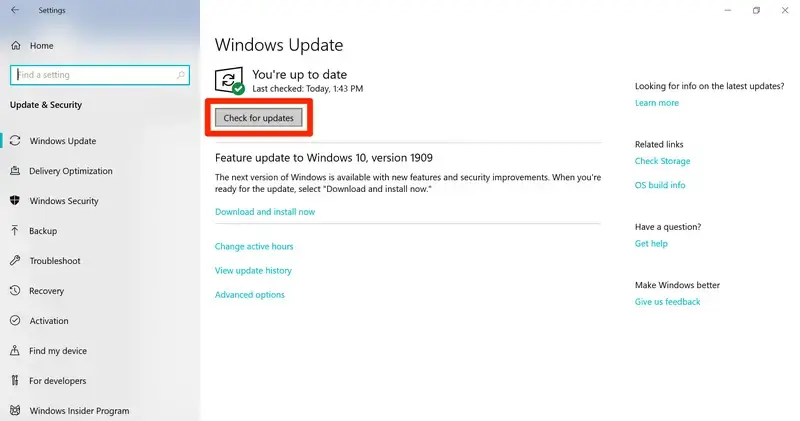
If your Windows operating system is outdated, running QuickBooks Desktop may lead to compatibility issues with its features and settings, which can impair functionality and trigger Error Code 3371, Status Code 11118 during updates, opening, or registration.
Let’s get the Windows update to ensure smoother functioning:

If QuickBooks error 3371 continues to persist, refer to the next solution.
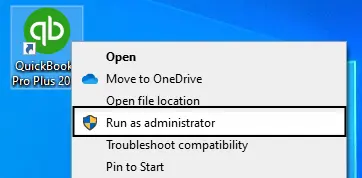
The 3371 Error Fix is a utility in QuickBooks Tool Hub that verifies the registration issue or the cause of the error, then applies a quick fix. Let’s run the utility in the following steps:
Note: Download and install the QuickBooks Tool Hub to the latest release available. For a better experience, it is recommended that you use Tool Hub on Windows 10, 64-bit.

Are you still getting QuickBooks Desktop error 3371? If so, continue moving to the steps below.
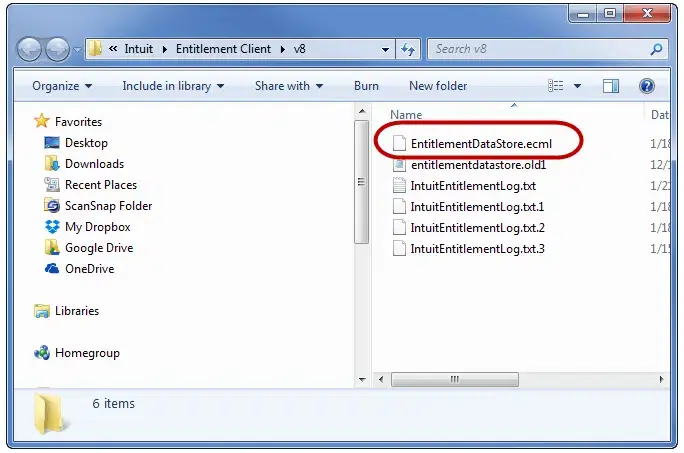
The entitlement file holds your license information for QuickBooks and tells QuickBooks your product is valid and activated. Sometimes this file can become corrupt.
Note: If you still can’t find the V6 or V8 folder, open Windows file explorer and go to C:, ProgramData, Intuit, and then Entitlement Client. Make sure Hidden items is checked in the file explorer.

Move to the next solution if you still the error code 3371 in QuickBooks.
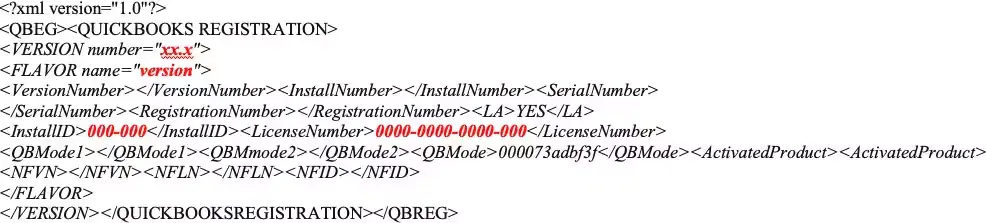
Damages or corruption in the qbregistration.dat file may prevent QuickBooks from verifying the license information. Let’s recreate the file by following these steps:
| Important: If you use multiple versions of QuickBooks Desktop on the same computer, you must add copy of the italicized text in the qbregistration.dat file, then paste the additional copies. Once done, you must replace the boldface items in the new section with the appropriate values for each QuickBooks version. |
Tip: If you do not see the folder in File Explorer, display hidden files and folders.
Note: The red bold text will appear regular in Notepad. After typing it into the Notepad, make sure replace the red items accordingly.

version
000-000
0000-0000-0000-000
Replace with the license number of QuickBooks.
Still failed to activate or open QuickBooks Desktop? Move to the next solution.
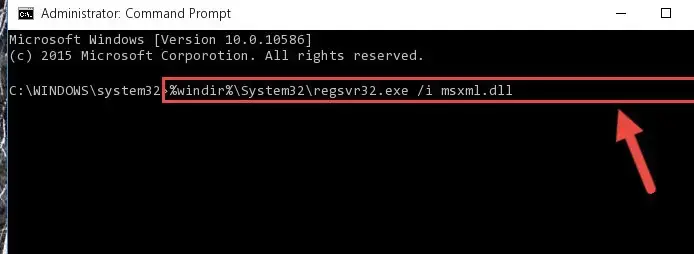
Repair the specific Windows components yourself if nothing resolves the QuickBooks error 3371 status code 11118.
Only perform the steps below if you’re an IT professional or confident enough to do so, or you can reach out to Microsoft support experts for help.
Register MSXML with the following steps if you use a 64-bit operating system:


Register MSXML with the following steps for a 32-bit operating system:
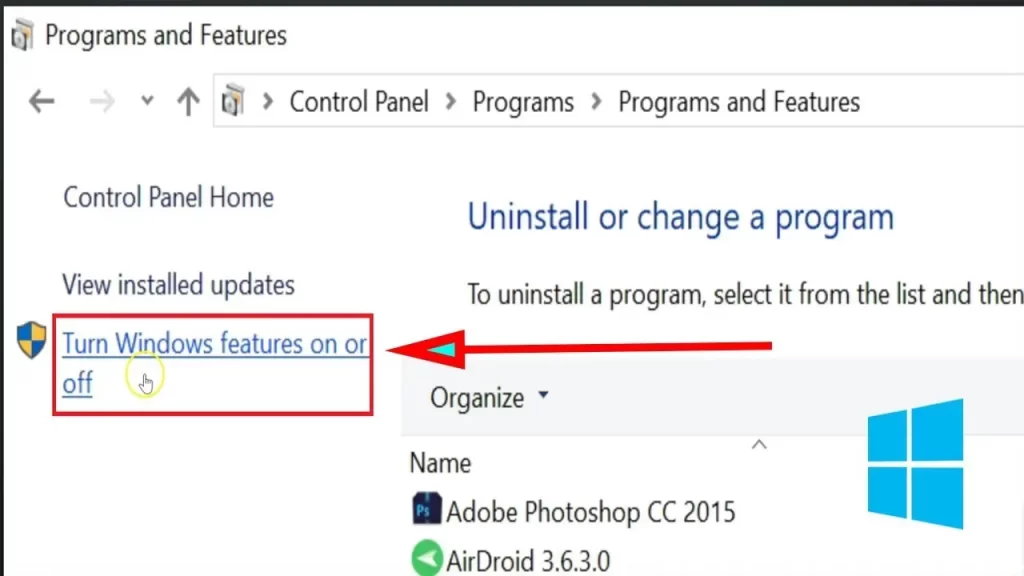
The following are only applicable for Windows 10 or newer versions:

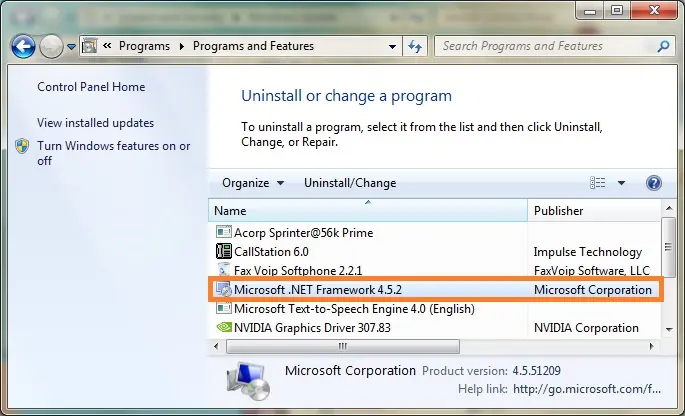
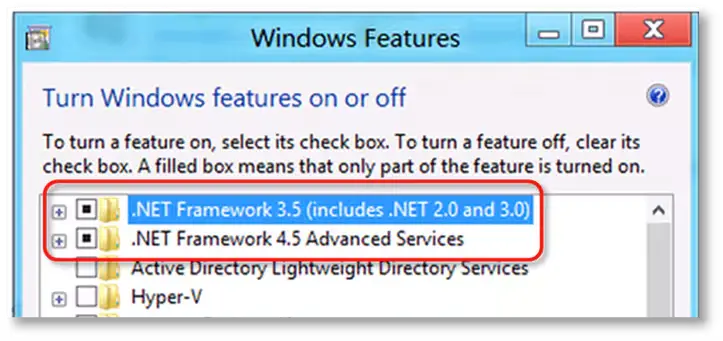
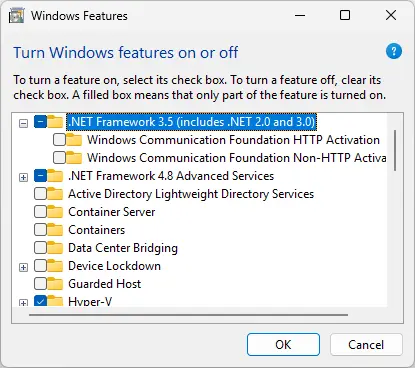
Note: Whether it’s .NET. Framework 4.5, 4.6, 4.7, and 4.8, the steps are the same.
If the checkbox for .NET Framework 4.5 (or later) isn’t selected:

If the .NET Framework 4.5 (or later) checkbox is already checked:

If the checkbox for .NET Framework 3.5 SP1 isn’t checked:

If the checkbox for .NET Framework 3.5 SP1 is already marked:
If you encounter an error when turning .NET Framework on or off, connect to an IT professional or Microsoft. The issue might be related to the operating system, not QuickBooks.
If this doesn’t work, follow the method below.
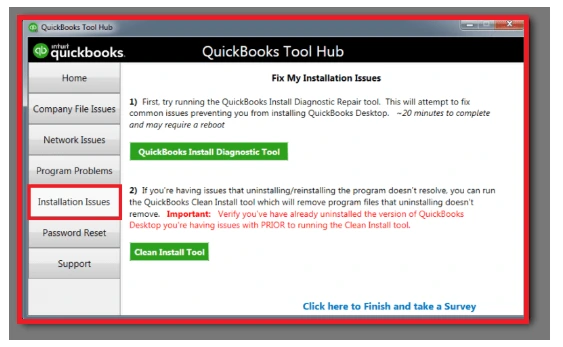
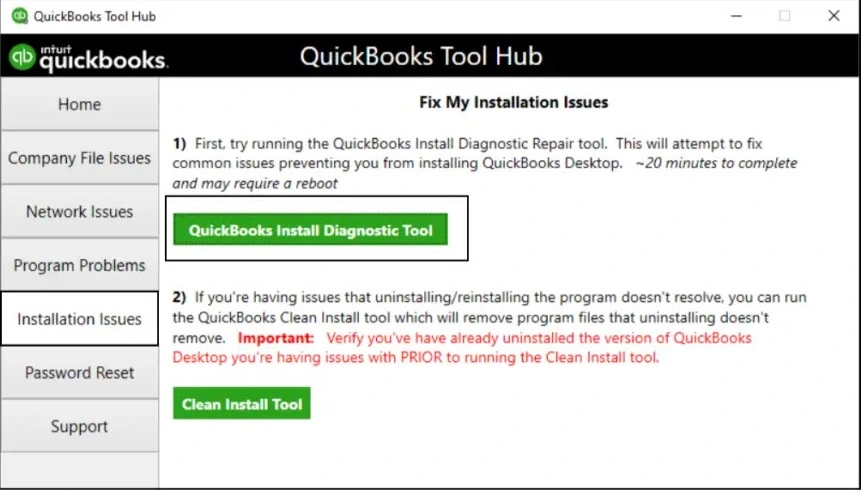
If the QuickBooks installation is incorrect or corrupted, it can cause problems when opening or updating. Fix the installation issues using the QuickBooks Install Diagnostic tool:

If QuickBooks error code 3371 still appears, move to the next solution.
A clean installation of QuickBooks Desktop involves clearing all program files from the hard drive, including previous data, settings, and applications, to ensure the system is free from malware or viruses. Once done, you can easily install QuickBooks Desktop without any hindrance from the background processes or security threats on your computer.
At last, we hope this detailed blog has helped you resolve QuickBooks error 3371, status code 11118, when trying to install, open, or update QuickBooks Desktop. If the error persists or you require further assistance, contact professionals available 24/7. Dial +1(866)500-0076 and talk to an expert now!
What is error code 3371 while initializing license properties in QuickBooks Desktop?
Error code 3371 while initializing license properties in QuickBooks Desktop appears when the EntitlementDataStore.ecml file is either damaged or missing. QuickBooks may also fail to activate, open, or start if the required components are missing.
How do I fix the QuickBooks Desktop license error?
Make sure to use the correct license number when activating QuickBooks Desktop. There’s no damage to the EntitlementDataStore.ecml file, Windows, and the QB are up-to-date, and the third-party applications aren’t blocking the software processes. If you need further assistance, connect with QB experts at TFN.
Why did QuickBooks not initialize license properties?
QuickBooks may fail to initialize license properties if the store that stores the license information is damaged, missing, or inaccessible. Other reasons, such as outdated Windows updates and damaged components, can also be the reasons why QuickBooks isn’t starting up.
How to check if QuickBooks needs an update?
To see if QuickBooks needs an update, you will need to see which version you are currently using and what the latest release available is. Sign in to Intuit> Products and Services> Details. Now, select Show More and check your current version. Match it with the latest QuickBooks release of QuickBooks Desktop.
Lana Creston is an experienced technical and accounting writer with a total of 9 years of experience. She currently works on QuickBooks accounting and technical guides at QuickBookSupportNet. Lana has a passion for reading and writing about various technical topics, especially exploring new accounting methods and software, while continuously expanding her expertise in the ever-evolving field of finance and technology.
Quick, clear, and hassle-free QuickBooks assistance.