Learn How to Create and File QuickBooks 1099 Forms
Dec 10, 2025
Oct 7, 2025
Admin |
Estimated Read Time : 5 MIN
Is QBDBMgrN Not Running on This Computer? You must be wondering why this happens and what you should do. But don’t worry—we’re here to help!
The QBDBMgrN is a core component (or service) of QuickBooks Database Server Manager, which enables hosting company files over a network. If it’s not running, it typically means you lack the permissions to start the service, or something is blocking it on your host computer.
Explore the possible causes and detailed steps below to help you quickly identify the issue and resolve it promptly. Let’s get started!
Table of Contents
ToggleExplore multiple reasons why QBDBMgrN not running on this computer in QuickBooks and is causing errors when hosting:
Below is a list of several troubleshooting methods that will help you resolve the root cause and share or open your company file on the network:
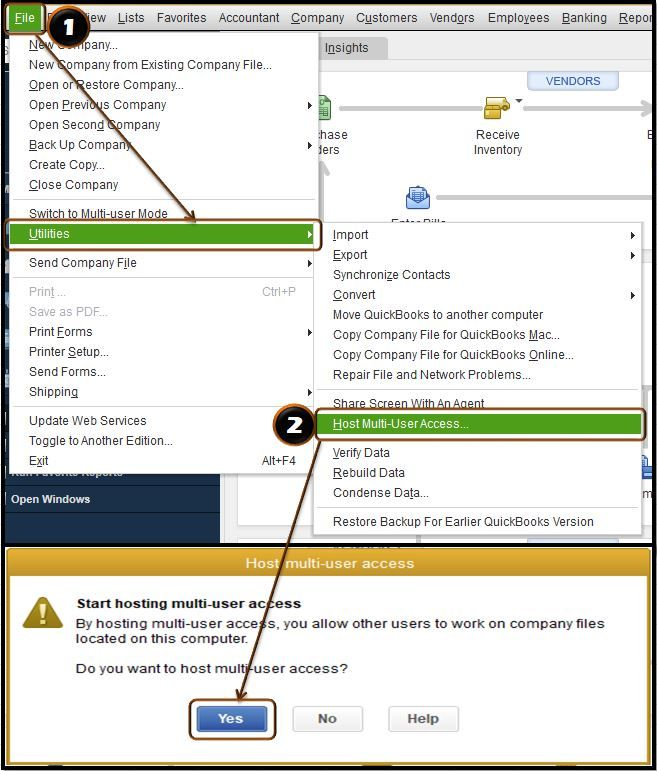
Enable the hosting setting on the server computer:

| Important: If you receive an error stating that your Windows user account doesn’t have the appropriate permissions, log in as a Windows admin or ask assistance from an IT professional. |
Note: Avoid Local System. It only functions in certain configurations.
Note: If hosting is active, disable it before re-enabling. If inactive, enable it.
Note: Make sure to download and install QuickBooks Tool Hub to the latest release (1.6.0.8). For the best experience, it is recommended to use Tool Hub on Windows 10, 64-bit.
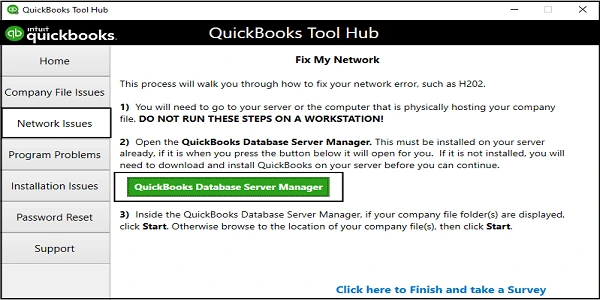
a. Run QuickBooks Database Server Manager
The server computer is the main computer that hosts your company’s files; others are just connected to it, known as workstations.

b. Run QuickBooks File Doctor
QuickBooks File Doctor runs a quick scan of your data file to identify potential damage and network connectivity issues, then quickly repairs them.
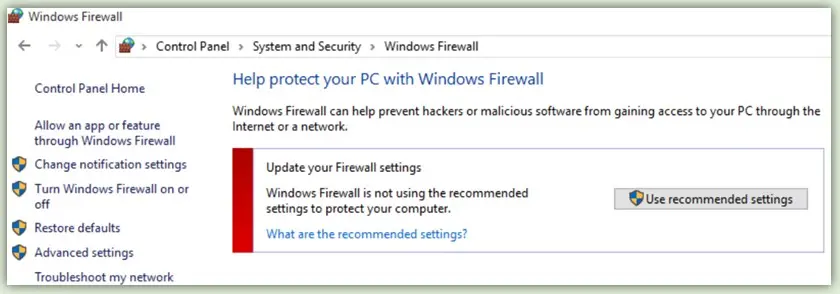
An outdated firewall can block common software operations such as hosting, and can be the reason why you see QBDBMgrN not running on this computer:

If you are still getting the error, restart QuickBooks Database Server Manager.
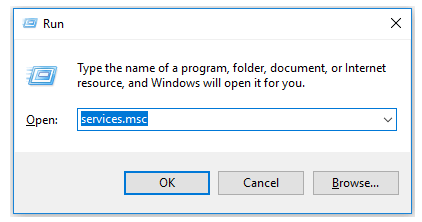
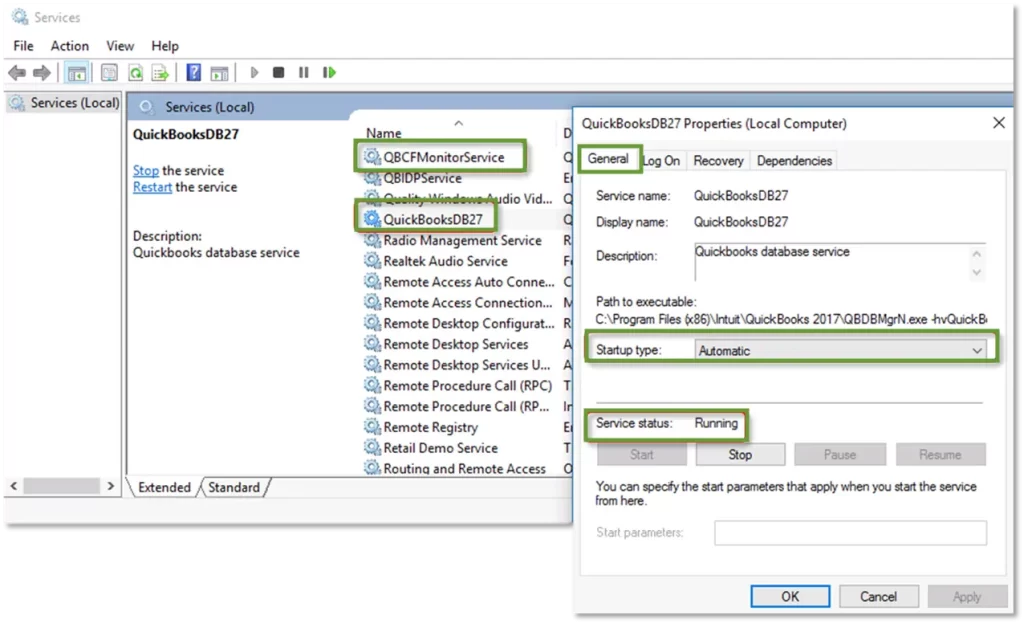
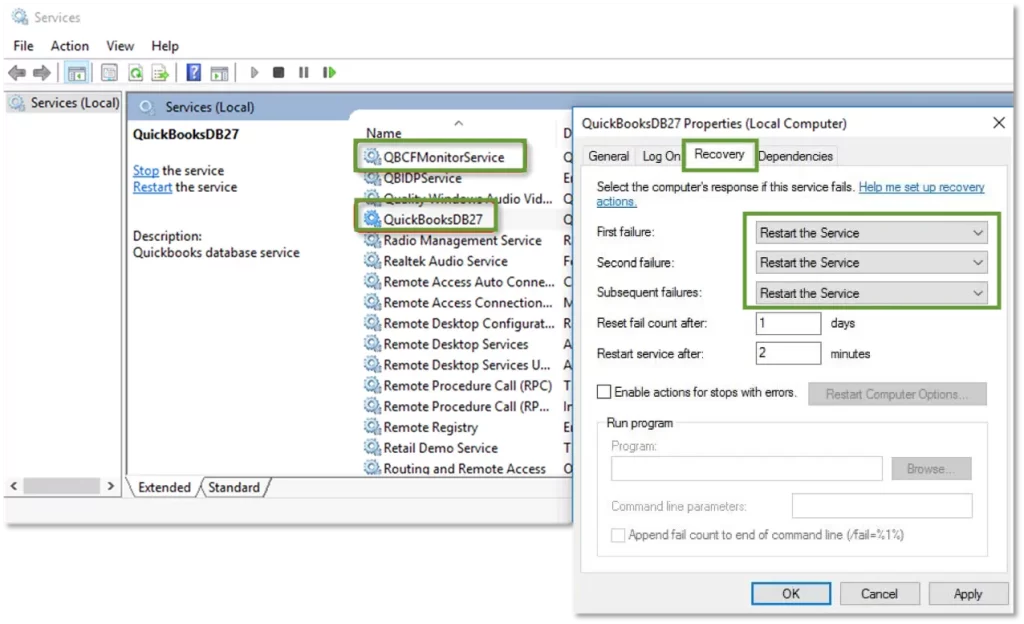
The hosting services must be running on the server for successful hosting. Proceed with the steps below to verify the status and make sure the QBDBMgrN not running on this computer issue is fixed:


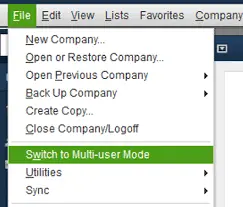
When done, open QuickBooks on each workstation. Go to File> Switch to Multi-user Mode.

If you haven’t already allowed the admin access, give QuickBooksDBXX and QBCFMonitorService admin folder and Windows permissions on your server computer. To do so, set Windows access permissions to share company files.
If you see the QBDBMgrN not running on this computer issue when trying to install or update QuickBooks, perform the steps below to resolve the problem:


| Notes: If you cannot find the Application Data or Program Data folder, display hidden files and folders or search for files in Windows. If you use other Intuit apps on your computer, uninstall or rename the QuickBooks version folder found in the Intuit folder: C:\Program Data\Intuit. |
| C:\Program Data\Intuit | C:\Program Data\Intuit |
| C:\Program Data\Common Files\Intuit | C:\Program Data\Common Files\Intuit |
| C:\Users\[Username]\AppData\Local\Intuit | C:\Users\\AppData\Local\Intuit |
| C:\Program Files\Intuit | C:\Program Files\Intuit |
| C:\Program Files\Common Files\Intuit | C:\Program Files\Common Files\Intuit |

Doing so will resolve all related issues and replace the old files or folders with the new ones.
If you see the QBDBMgrN not running on this computer issue when trying to install or update QuickBooks Database Server Manager, perform the steps below to resolve the problem:
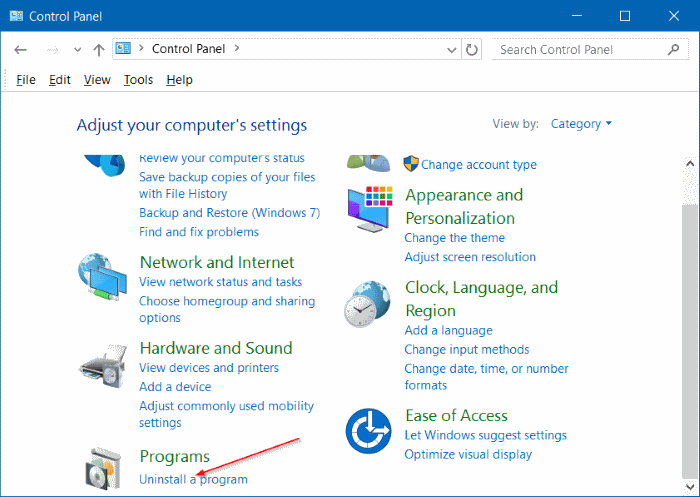
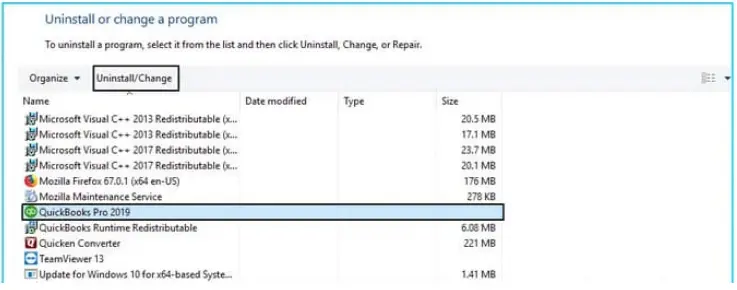
a. Uninstall the QuickBooks Database Server Manager
b. Rename the installation folders
| Notes: If the Application Data or Program Data folder isn’t visible, enable hidden files and folders or use Windows search to locate them.If other Intuit apps are installed, only uninstall or rename the QuickBooks version folder within the Intuit folder at C:\Program Data\Intuit. |
| C:\Program Data\Intuit | C:\Program Data\Intuit |
| C:\Program Data\Common Files\Intuit | C:\Program Data\Common Files\Intuit |
| C:\Users\[Username]\AppData\Local\Intuit | C:\Users\\AppData\Local\Intuit |
| C:\Program Files\Intuit | C:\Program Files\Intuit |
| C:\Program Files\Common Files\Intuit | C:\Program Files\Common Files\Intuit |
c. Reinstall QuickBooks Database Server Manager
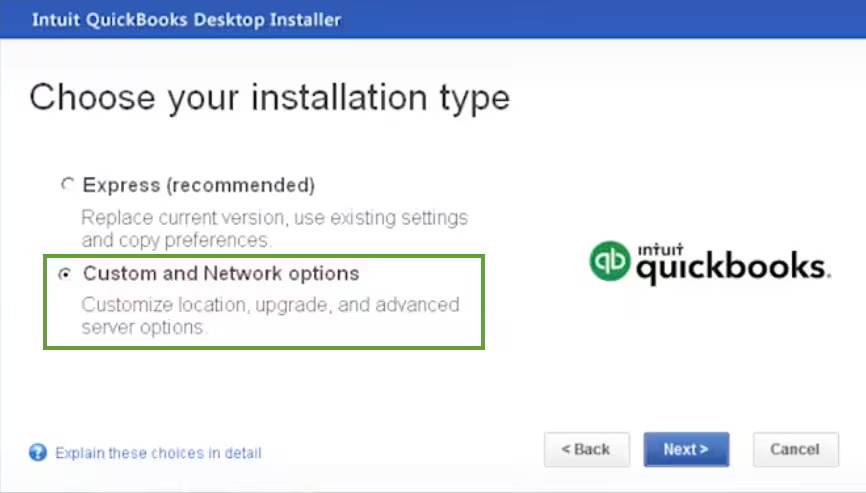
Here’s how to reinstall QuickBooks Database Server Manager and set up file sharing.
The Windows Firewall is a security system application that controls the ports for existing and incoming data. If it is considered a threat to your computer, it might block your QuickBooks and all the related and ongoing operations, such as updating QuickBooks, hosting the data file, and more. Configure the Windows Firewall ports for your QB Desktop to ensure you run the business process easily.
Experiencing the ‘QBDBMgrN Not Running on this computer’ error in QuickBooks can be a real headache, but it’s often fixable.
By systematically troubleshooting these areas—restarting the service, updating your firewall, or using the QuickBooks Tool Hub—you can get your multi-user access back on track and your business running smoothly. Don’t give up; a solution is within reach!
For further assistance, dial +1(866)500-0076 to connect with a QB ProAdvisor and consult your issues!
Why is QuickBooks Database Server Manager not working?
QuickBooks Database Server Manager may not work due to firewall or antivirus interference, outdated QuickBooks software, a corrupted or disabled service, a damaged Network Descriptor (.nd) file, or incorrect multi-user hosting settings
How do I open QBDBMgrN in QuickBooks?
To open the QuickBooks Database Server Manager (which handles QBDBMgrN), open the Windows Start Menu, type “Database,” and open the application from the search results. If the service is not running, you can restart it by opening services.msc, locating the QuickBooksDBXX service, right-clicking it, and selecting “Restart”.
What is QBDBMgrN service in QuickBooks?
The QBDBMgrN service, or QuickBooks Database Server Manager, is a QuickBooks utility that allows multiple users to access a QuickBooks company file simultaneously. It serves as a network server for QuickBooks, enabling access to the company’s database and files by more than one user at the same time.
Lana Creston is an experienced technical and accounting writer with a total of 9 years of experience. She currently works on QuickBooks accounting and technical guides at QuickBookSupportNet. Lana has a passion for reading and writing about various technical topics, especially exploring new accounting methods and software, while continuously expanding her expertise in the ever-evolving field of finance and technology.
Quick, clear, and hassle-free QuickBooks assistance.
Learn How to Create and File QuickBooks 1099 Forms
Dec 10, 2025