
Dec 15, 2025
Admin |
Estimated Read Time : 5 MIN
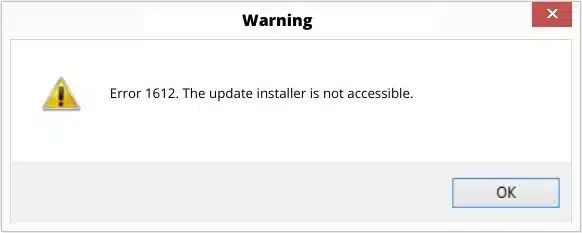
QuickBooks error 1612 is an MSI-related issue that appears when the Windows Installer cannot locate the original setup files needed to install, update, or remove the software. When this happens, users often see the warning: “The installation source for this product is not available.”

This error typically arises due to missing, corrupted, or relocated installation files, and it can interrupt essential QuickBooks operations. Understanding the root causes and effective fixes is key to restoring smooth performance and preventing further installation problems.
Table of Contents
ToggleSee different reasons why you see the Windows installer error 1612 when installing QuickBooks Desktop:
Try different troubleshooting steps for the MSI error 1612 when updating or installing QuickBooks Desktop. Make sure to perform these methods as mentioned with extreme care:
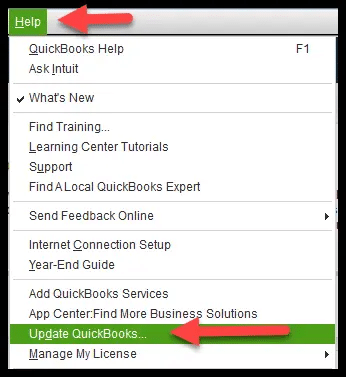
To update QuickBooks Desktop, ensure you’re connected to the internet and that QuickBooks is open. Go to the Help menu and select Update QuickBooks. In the Update window, click Update Now. Once the Update is complete, restart QuickBooks. Software updates provide essential security patches, new features, bug fixes, and performance improvements.

The most effective method to fix QuickBooks error 1612 is to install the patch by following the steps below:
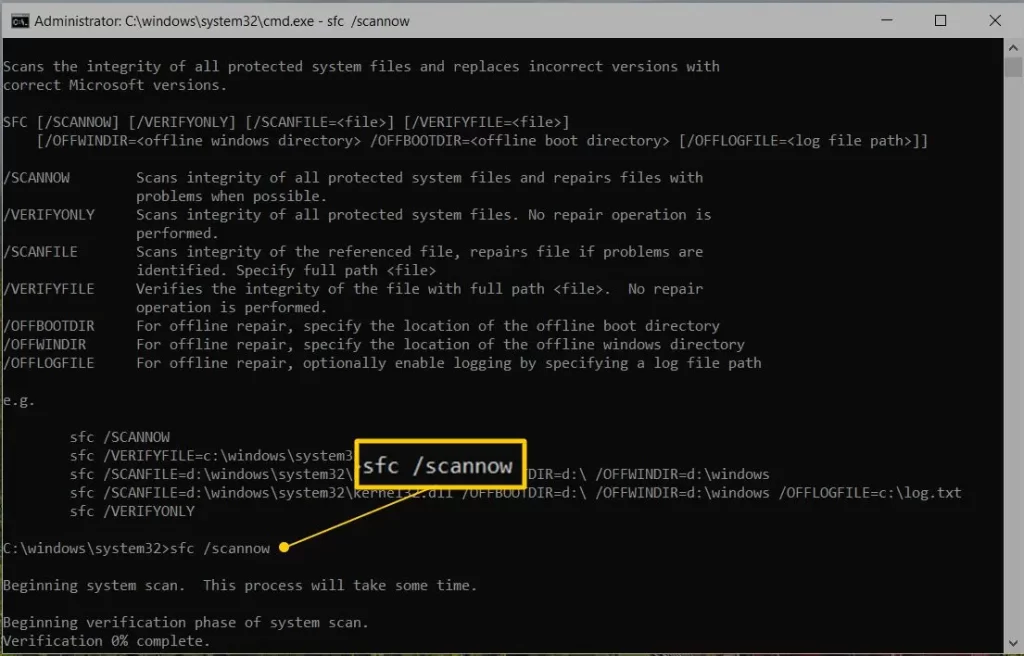
The System File Checker (SFC) tool in Windows scans for and repairs corrupted or missing critical system files and runs a quick repair.
NOTE: You can also run System File Checker (SFC)from Windows PowerShell (Admin).

Windows Firewall is a security feature that manages the incoming and outgoing network traffic on your computer to ensure data integrity and reliability. If it detects a potential threat from software or programs, it may block associated processes, which can lead to QB error code 1612 during installation. Configure the Windows Firewall settings for QuickBooks Desktop to allow the installation to proceed successfully.
A software relies on Windows components heavily for reading XML data, running code, managing memory, and accessing shared libraries. When these components are damaged, it becomes difficult to install or run various software, which often results in an error code on the screen.
Proceed with the detailed steps to repair these components or contact your IT professionals.

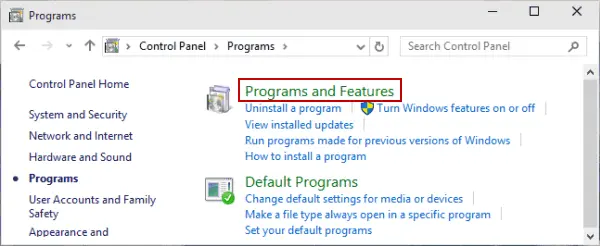
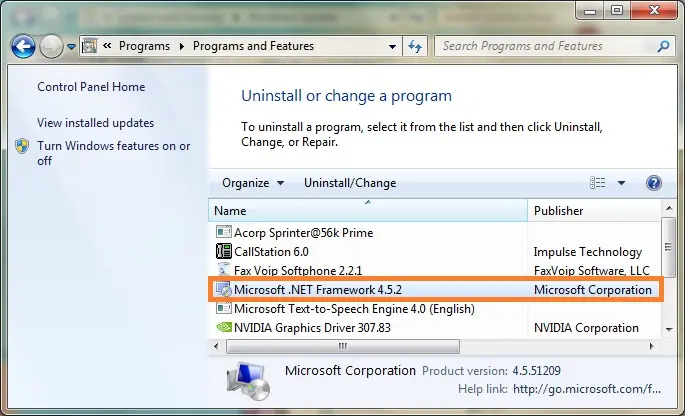
Verify the settings for both .NET Framework 4.5 (or later) and .NET Framework 3.5 SP1 in the steps below.
Note: The steps to fix the .NET. Frameworks 4.5, 4.6, 4.7, and 4.8 are the same.
i. Check NET Framework 4.5 (or later)
If you haven’t selected the .NET Framework 4.5 (or later) checkbox:
If you already checked the .NET Framework 4.5 (or later) checkbox:

ii. Check NET Framework 3.5 SP1
If you haven’t selected the .NET Framework 3.5 SP1 checkbox:
If you have already selected the .NET Framework 3.5 SP1 checkbox:
If you get an error when turning .NET Framework on or off, contact QuickBooks professionals or Microsoft. The issue can be with your operating system and not QuickBooks.
Register MSXML on a 64-bit operating system with these steps:
Register MSXML on a 32-bit operating system with these steps:
If QuickBooks error 1612 persists, contact an IT professional for assistance.
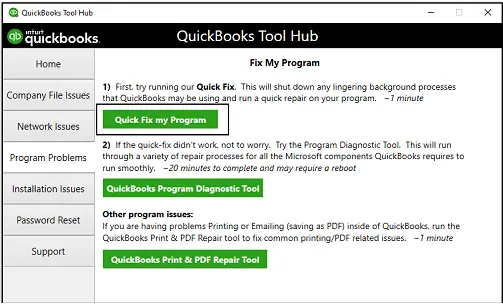
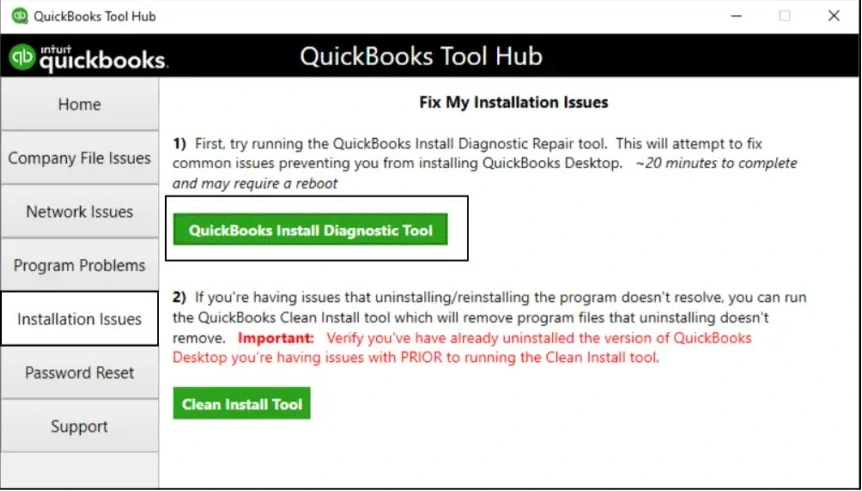
Let’s repair the damaged or corrupted program files and resolve the software installation with the steps below using the QuickBooks Tool Hub:
Note: Download and install QuickBooks Tool Hub (1.6.0.8) in the latest release. For the best experience, we recommend using Tool Hub on Windows 11 (64-bit).
The Quick Fix my Program closes the background processes that QuickBooks uses. This will run a quick repair to the program.

If the installation was corrupted or something went wrong, it can cause problems when using the software. Run the QuickBooks Install Diagnostic tool to fix such common installation issues.

QuickBooks error 1612 may be triggered due to a damaged Windows installer. Proceed with the steps mentioned below:

The MSI error 1612 often makes it challenging to install or update various software, including Windows. With this detailed guide, you will be able to resolve various reasons you are getting QuickBooks error 1612, such as repairing Windows OS components or reinstalling QuickBooks.
Need further help? Contact QuickBookSupportNet at 1(866)500-0076 to get expert consultation now!
How to fix QuickBooks error 1612?
To fix QuickBooks error 1612 during installation, update the Windows OS, and ensure that the components responsible for software installation aren’t damaged or corrupted. If you fail to install the software update, consider reinstalling QuickBooks Desktop.
What is error code 1612 on Windows Update?
Error code 1612 during Windows update means “The installation source for this product is not available,” indicating Windows can’t find the necessary setup files. This may be due to a corrupted or damaged MSXML or .NET Framework, or to damaged or missing files or folders.
What version of QuickBooks works with Windows 11?
QuickBooks Desktop is fully compatible with Windows 11 and is the latest version of the software. However, QuickBooks Desktop 2022 and QuickBooks Desktop 2024 also work with Windows 11.
Is QuickBooks no longer supporting desktop?
QuickBooks Desktop is still supported, but only the Enterprise version is supported. Intuit has discontinued the Pro and Premier versions of QB Desktop and no longer provides updates or support for them.
How to update QuickBooks Desktop to the latest release?
To update QuickBooks Desktop to the latest release, go to the Help menu > Update QuickBooks Desktop. Select the Update Now tab > Get Updates. When done, close and reopen QuickBooks and click Yes to install the updates.
Lana Creston is an experienced technical and accounting writer with a total of 9 years of experience. She currently works on QuickBooks accounting and technical guides at QuickBookSupportNet. Lana has a passion for reading and writing about various technical topics, especially exploring new accounting methods and software, while continuously expanding her expertise in the ever-evolving field of finance and technology.
How to Fix QuickBooks Error 15311 During Updates
Oct 22, 2026
How to Fix QuickBooks Payroll Error 15301
Oct 22, 2026