Fix QuickBooks Error 6000 77 | Access Your Company File
Jan 23, 2026
Admin |
Estimated Read Time : 5 MIN
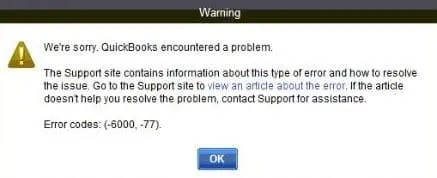
QuickBooks Error 6000, -77 is a company file issue that prevents QuickBooks from opening the company file. This error occurs when QuickBooks is unable to access the file due to an incorrect file location, permission restrictions, or network-related problems. When this happens, your workflow can come to a sudden stoppage, affecting daily accounting operations and business productivity.
This guide will show you the root causes behind the error and then continue with the solution part. Knowing the root causes is important so that you can avoid such errors in the future. You will have a complete understanding of the error and the solutions to restore access to your company file.
What to do before?
Make a fresh backup of your company file.
Make sure you can fix the error with your self-attempts.
You need to know that .TLG and ND files are a part of your company files. It is because of these files that you can access your company file in QuickBooks in a network or multi-user environment.
When these files get damaged, you see such an error while opening your QuickBooks company file. So, we will rename these files to fix the error code 6000, -77. QuickBooks creates these files when the user scans it with the QuickBooks Database Server Manager.
Step 1: Rename .TLG file and .ND file
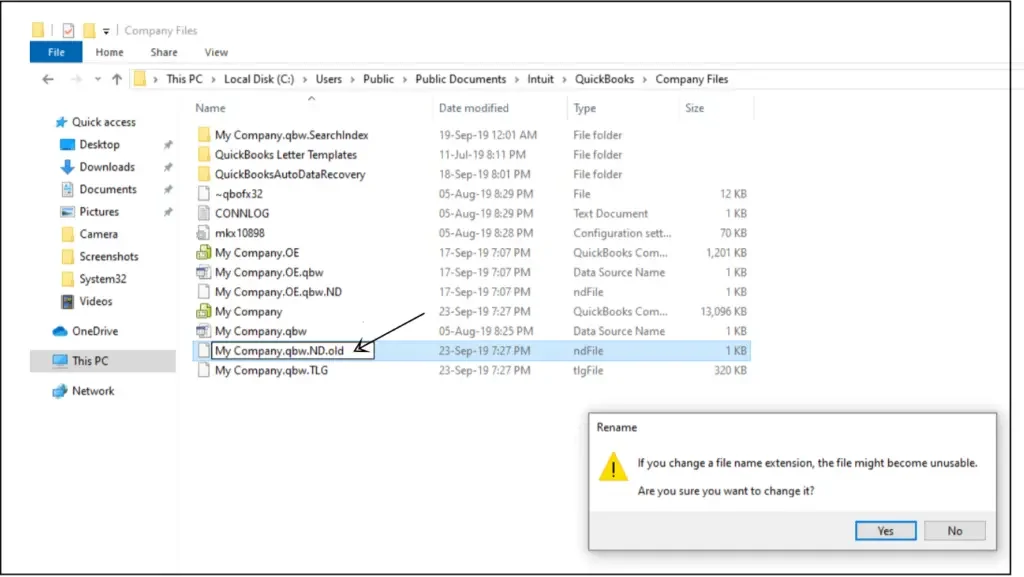
Open the folder containing your company file.
Search for the files with the same file name as the company files. Ensure to search with the extension .TLG and .ND.
company_file.qbw.nd
company_file.qbw.tlg
Now, right-click on each of the files and click on Rename. Simply add an extension OLD in each file name. For example, you rename your file as company_file.qbw.nd.OLD.
Solution 3: Use a UNC path
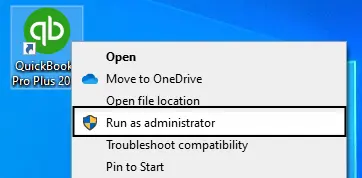
Using the right-click on the QuickBooks icon, press and hold the Ctrl key.
Click on Run as Administrator.
Note:- Hold down the Ctrl key to prevent QuickBooks from automatically opening the company file.
Click on the File menu.
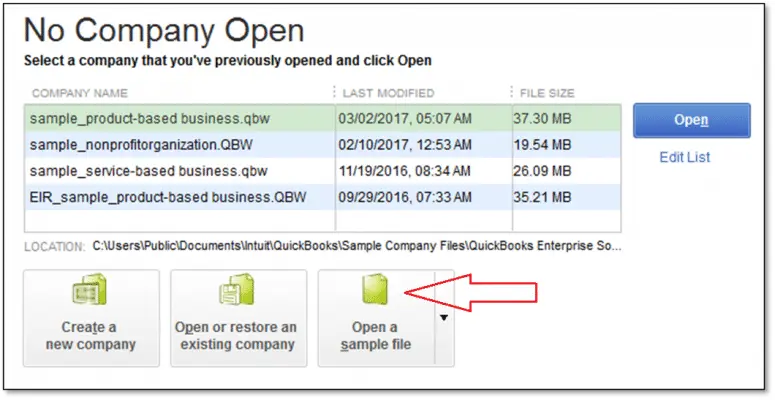
Select the option Open or RestoreCompany.
Click on Open a company file.
Finally, click on Next.
Click on Network in the left pane.
Browse your company file.
Note:- If you cannot find the company file’s folder, you are required to set folder permissions.
Select the company file and open it.
Solution 4: Configure Firewall and Security Software
We will use a port exception to fix your QB Error 6000, -77. In this solution, we will add a port exception to your Windows firewall for QuickBooks.
Click on the Windows Start.
Search for Windows Firewall and open it.
Click on Advanced Settings.
Right-click on the Inbound Rules tab.
Click on New Rule and select Port.
Finally, hit Next.
Ensure to select TCP only.
You would be seeing a field-specific local port. Simply add the ports you need for QuickBooks year version:
Now, open the new folder that was created and paste the .qbw file into it.
To share your company files, set Windows access permissions.
Launch QuickBooks Desktop.
Open the company file from the new folder location.
Conclusion
File location, permission, or network-related issues are the reasons behind the QuickBooks Error 6000, -77. Tools like the QuickBooks Tool Hub and File Doctor could resolve the issue quickly. But when they do not, the solutions outlined in this guide can resolve the issue.
Correcting file locations, renaming damaged configuration files, and/or adjusting the firewall are some of the recommended steps to restore access to your company file. Always remember to create a fresh backup before making any changes, as it safeguards your data during troubleshooting.
Frequently Asked Questions
What is QuickBooks Error 6000, -77?
QuickBooks Error 6000, -77 is a company file error that occurs when QuickBooks is unable to open the company file. The error usually indicates a problem with the file location, folder permissions, or restricted access caused by network or security settings.
What causes QuickBooks Error 6000, -77?
There are various causes behind the error, check the following:
Incorrect or damaged network configuration
Windows Firewall or antivirus restrictions
Incorrect company file location or folder permissions
Corruption in the company file or supporting configuration files (.ND and .TLG)
How do I fix QuickBooks Error 6000, -77?
There are some solutions that could fix the problem, depending on your system requirements and the reason behind the error:
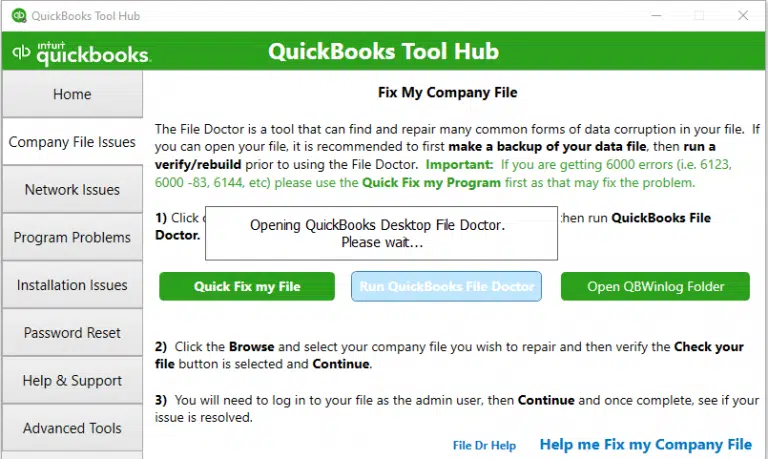
Running the QuickBooks File Doctor from the QuickBooks Tool Hub
Renaming the .ND and .TLG files
Opening the company file using a UNC path
Configuring Windows Firewall and security software
Moving the company file to a new, properly permissioned folder
Follow the step-by-step solutions in this guide for safe and effective troubleshooting.
What does “-77” mean in QuickBooks Error 6000?
The “-77” error code indicates that QuickBooks cannot access the company file due to an incorrect file path, restricted permissions, or a security block from firewall or antivirus software.
Can QuickBooks Tool Hub fix Error 6000, -77?
Yes, in many cases, the QuickBooks Tool Hub, especially the File Doctor tool, can automatically diagnose and fix issues related to company file access, network configuration, and file corruption.
Is it safe to fix QuickBooks Error 6000, -77 on my own?
Create a fresh backup of the company file
Follow the recommended steps carefully
Limit repeated troubleshooting attempts
If the error persists after 2–3 attempts, it is best to contact a QuickBooks specialist to avoid data damage.
Where should I contact if Error 6000, -77 is not resolved?
If the issue remains unresolved, it may require advanced troubleshooting. In such cases, contacting a senior QuickBooks specialist is recommended to ensure a secure and timely resolution.
Can QuickBooks Error 6000, -77 occur in single-user mode?
Although this error is more common in multi-user or network environments, it can also occur in single-user mode if the company file is stored in an incorrect location, has restricted permissions, or if the supporting configuration files (.ND or .TLG) are damaged.
Does QuickBooks Error 6000, -77 affect QuickBooks Online?
QuickBooks Error 6000, -77 only affects QuickBooks Desktop. QuickBooks Online is cloud-based and does not rely on local company file paths, network configurations, or Windows firewall settings, which are the primary causes of this error.
How can I prevent QuickBooks Error 6000, -77 in the future?
Follow the points below to reduce the chances of encountering this error:
Storing your company file in a folder with permission.
Avoid hosting the company file on unstable network locations.
Ensure to use only the latest QuickBooks Desktop application.
Regularly back up your company file.
Ensuring firewall and antivirus settings always allow QuickBooks programs.
About The Author
Lana Creston is an experienced technical and accounting writer with a total of 9 years of experience. She currently works on QuickBooks accounting and technical guides at QuickBookSupportNet. Lana has a passion for reading and writing about various technical topics, especially exploring new accounting methods and software, while continuously expanding her expertise in the ever-evolving field of finance and technology.
Effortlessly handle data tasks or get expert assistance with: