
Feb 3, 2026
Admin |
Estimated Read Time : 5 MIN
Running into QuickBooks Error 1335 while installing or updating the software can instantly disrupt your workflow. This error usually appears when Windows fails to read an essential cabinet (.cab) file required during the installation process. Damaged files, missing components, or system conflicts can trigger error 1335 in QuickBooks.
You may receive error messages with the statement:
“Error 1335: The cabinet file [data1.cab] required for this installation is corrupt and cannot be used.”
“Error 1335: The cabinet file required for this installation cannot be used.”
QuickBooks Error Code 1335 can be fixed using the correct steps. Understanding the reason behind the error makes troubleshooting much easier and prevents similar issues in the future. In this guide, we will walk you through the expected reasons behind the error and share the solutions that you can use to fix it.
Table of Contents
ToggleQuickBooks Error Code 1335 is an installation error that requires your attention along with sufficient system requirements. The solution varies depending on your system requirements and QuickBooks version.
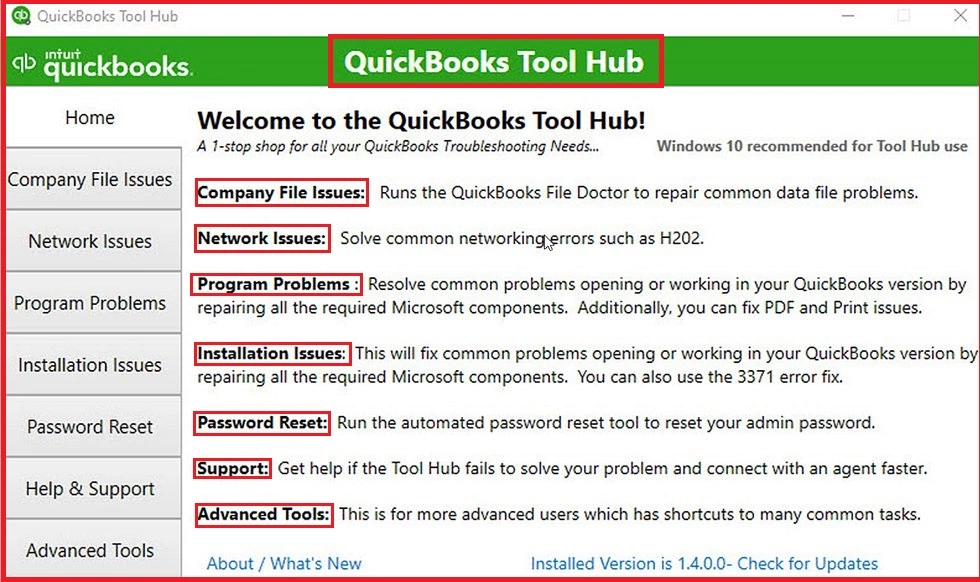
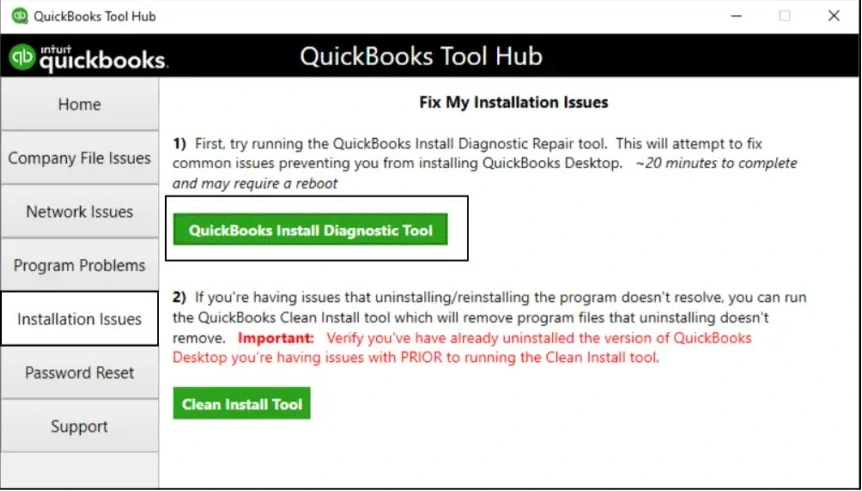
QuickBooks Tool Hub is a separate software that resolves the QuickBooks accounting application’s basic errors and issues. These error and issues includes error of series 6XXX and H-series errors or network errors.
Note:- In case you are already using the QuickBooks Tool Hub, confirm the version of the software. To check, click on the Home tab, and you will find the version at the bottom.


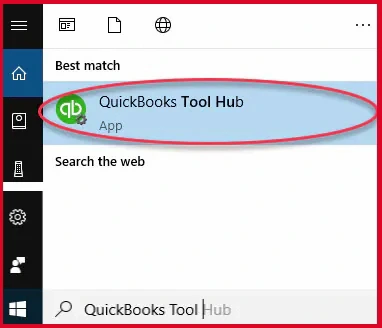
Note:- If there is no icon on your desktop, click on the Windows Start menu and type QuickBooks Tool Hub. Select and open the program.


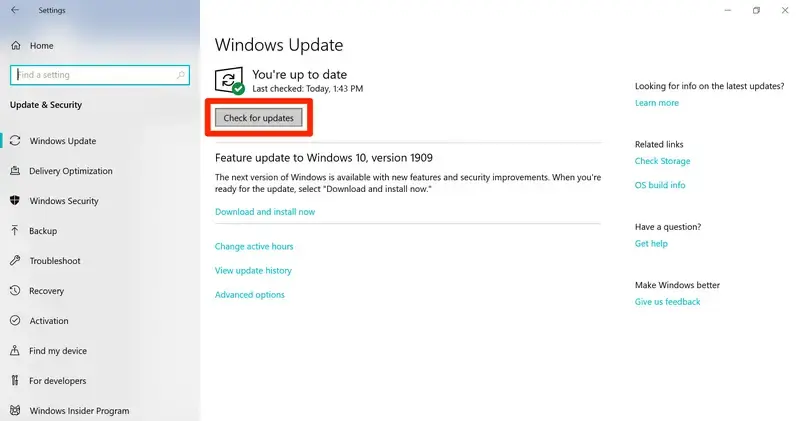
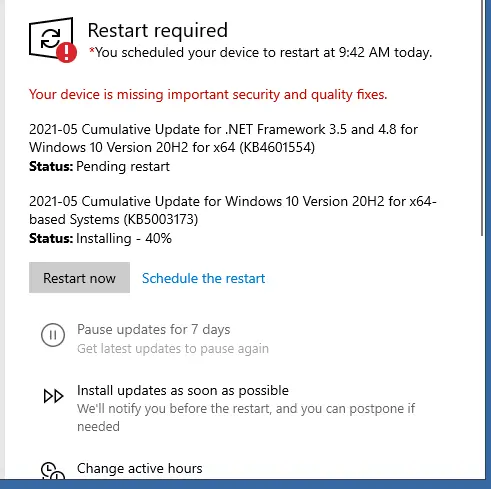
Note:- This would help you in getting the latest fixes and up-to-date security updates.


Confirm if the QuickBooks Error code 1335 is fixed or if it still requires another solution to get it fixed. In case you are still struggling with it, continue to solution 3.
You may need to repair your PC’s Windows components, that is, MSXML DLL files. We are sharing both types of bit operating system steps:
64-Bit Operating System


32-bit Operating System


Windows 10 and newer


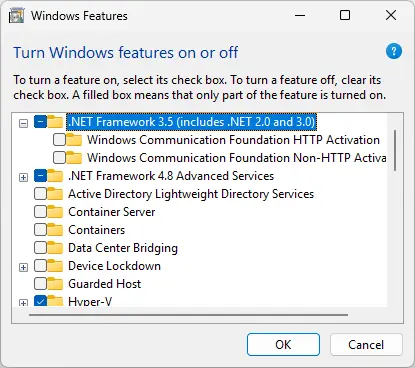
If the .NET Framework 4.5 checkbox is not checked:

Check NET Framework 3.5 SP1

QuickBooks Error 1335 is an installation-related issue that requires attention and pushes for the correct configuration of settings and/or updating your accounting software. In most cases, repairing Windows components, running diagnostic tools, or ensuring that your system meets QuickBooks’ installation requirements can solve the issue.
The solutions shared in this guide have been proven effective for the majority of users and are designed to address both software and system-level causes, fixing Error Code 1335 in QuickBooks Desktop. Seeking help from a QuickBooks expert is the safest and most efficient approach. For professional assistance, contact QuickBookSupportNet at (866) 500-0076.
What does QuickBooks Error 1335 indicate?
QuickBooks Error 1335 indicates a problem during installation or update when Windows cannot access or verify a required cabinet file. This usually points to file corruption or missing installation components.
Can insufficient disk space trigger QuickBooks Error 1335?
If your system does not have enough free disk space, QuickBooks may fail to extract or read installation files properly, resulting in Error 1335.
Does QuickBooks Error 1335 occur on all Windows versions?
The error can occur on multiple Windows versions, especially if essential components like MSXML, .NET Framework, or Windows Installer services are outdated or damaged.
Is it safe to reinstall QuickBooks to fix Error 1335?
Reinstalling QuickBooks can help, but it should be done only after repairing Windows components and ensuring the installation files are intact. Reinstalling without fixing the root cause may lead to the same error again.
Can antivirus or firewall software cause QuickBooks Error 1335 Windows 11?
Some third-party security applications may block or interrupt the installation process, preventing QuickBooks from accessing required files. Temporarily disabling them during installation can help.
How can I prevent Error 1335 QuickBooks Desktop in the future?
To avoid the 1335 Error Code in QuickBooks, follow the points below as a checklist:
Lana Creston is an experienced technical and accounting writer with a total of 9 years of experience. She currently works on QuickBooks accounting and technical guides at QuickBookSupportNet. Lana has a passion for reading and writing about various technical topics, especially exploring new accounting methods and software, while continuously expanding her expertise in the ever-evolving field of finance and technology.
How to Fix QuickBooks Error 15311 During Updates
Oct 22, 2026
How to Fix QuickBooks Payroll Error 15301
Oct 22, 2026