QuickBooks Tool Hub 1.6.0.8: Uses, Features, Setup, and More
Nov 5, 2025
Admin |
Estimated Read Time : 5 MIN
QuickBooks Tool Hub is Inuit’s free application for fixing QuickBooks Desktop errors and resolving common problems such as network connectivity, company file issues, installations, and program functionality.
In this guide, you will learn what QuickBooks Tools Hub is, when to use it, how to install it safely, and the best-practice workflows for the top problems, including company file errors, H-series multi-user issues, PDF/Print failures, installation/licensing glitches, and program crashes.
We provided a safe link for the download QuickBooks Tool Hub 1.6.0.8, so you don’t need to worry about finding it elsewhere.
Why does it matter?
Instead of a separate QuickBooks Tool Hub download, the hub centralizes the official steps that Intuit recommends for the first common Desktop issues – hoping you can fix problems with fewer risks and no technical fix required.
Tab
Primary Use
Typical Errors
Key Actions
Company File Issues
Repairs Data/Connectivity Issues with your .QBW
–6150, -6000-82/-301/305, -6130 missing blank lists, file won’t open
Quick Fix my File
Network Issues
Multi-user and hosting problems
H202 and other H-series errors
Server-side diagnostic for hosting and database services
Program Problems
QuickBooks open slow, freezes, or crashes, PDF email, save issues
“Not responding” PDF converter errors, XPS/print issues
Step 1: To download QuickBooks Tool Hub, you must first close the QuickBooks application.
Click the download link (QuickBooks Tool Hub free download) to get the latest version (1.6.0.8).
Save the downloaded file (QuickBooksToolHub.exe) in an easy-to-reach folder.
Note:- If your computer already has a tool hub installed, confirm the version number.
For this, in the tool hub application, click the Hometab, and you will find the version in the bottom-right corner.
Double-click on the downloaded file (QuickBooksToolHub.exe) to open it.
Carry on with the on-screen instructions to install the application.
Agree to their terms and conditions.
After you finish the installation, double-click on the QuickBooks Tool Hub’s icon to open the application.
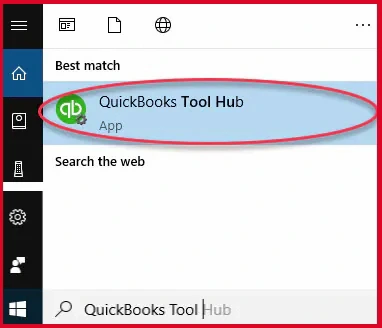
If there is no Icon on the Windows screen, search in the Windows Start menu.
Step 2: Use the Features available in the QuickBooks Tool Hub.
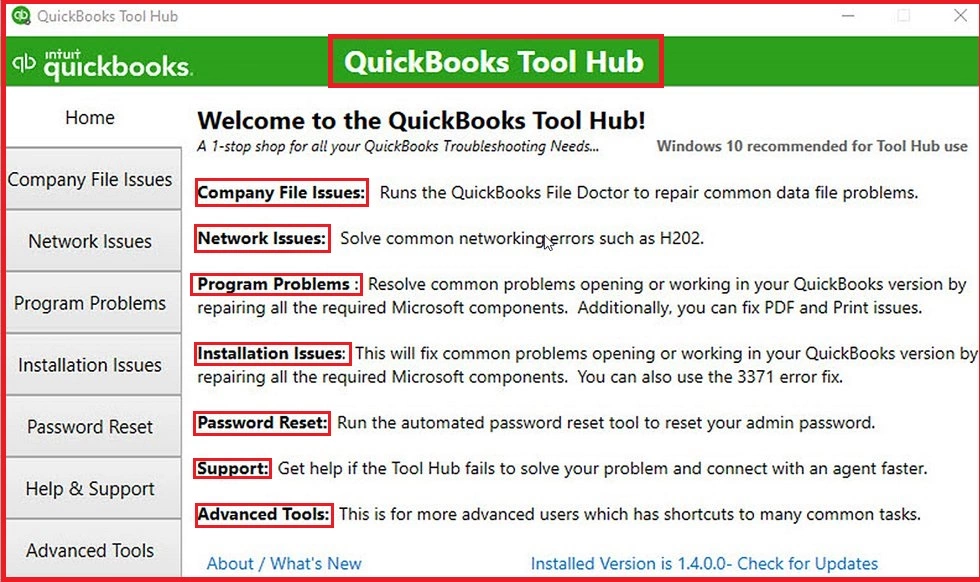
In this step, we will have a brief introduction to all the features of the Tool Hub.
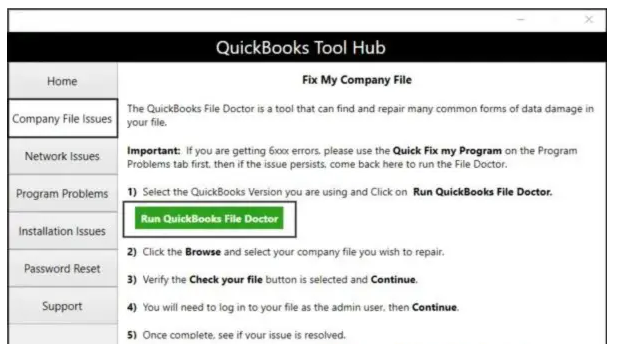
Company File Issues: The tab includes running QuickBooks File Doctor or Quick Fix my File. In any case, if you are looking for more help, click on QB File Dr Help.
List of tools that you would have in the tab:
Quick Fix my File
QuickBooks File Doctor
Open QBWinlog Folder
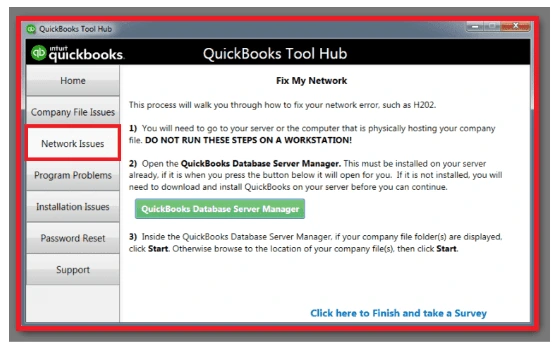
Network Issues: Using the network issues tab, you can fix the QuickBooks Error H202, QB Error H303, QB Error H505, and more. This plays an important role in fixing any network issues within its capacity.
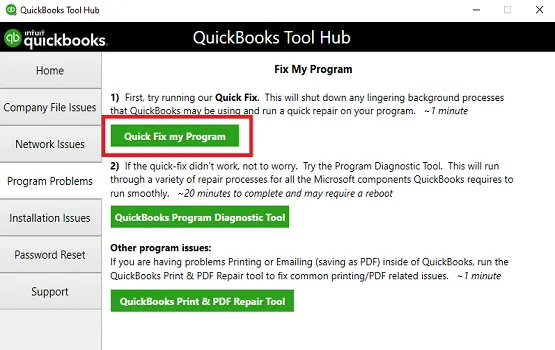
Program Problems: This tab includes features to fix common errors related to PDF/Print Issues, data issues, and related program issues.
List of tools, which includes:
Quick Fix my Program
QuickBooks Program Diagnostic Tool
QuickBooks Print & PDF Repair Tool
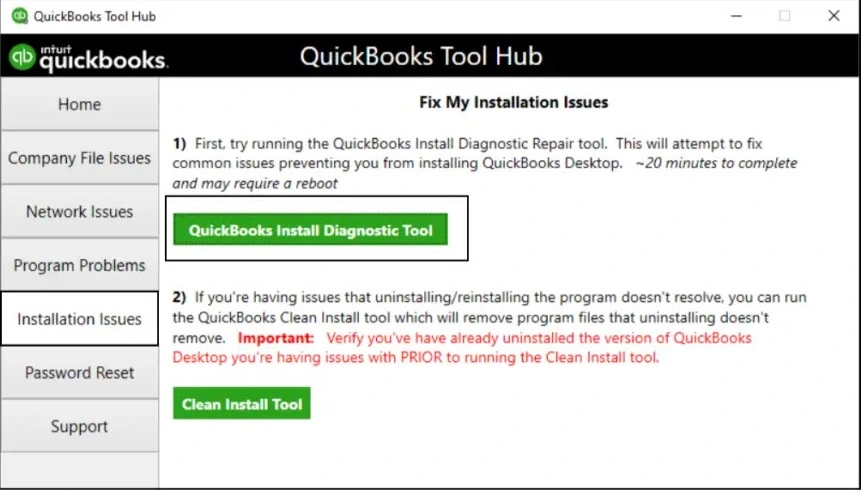
Installation Issues: If you are facing any errors related to the installation or uninstallation of the QuickBooks Desktop application. And, not only this, you can fix common errors like 3371 and others.
QuickBooks updates that are slow or appear stuck: You can use the feature for program and payroll updates.
Fix the Issue of QuickBooksToolHub.exe being blocked
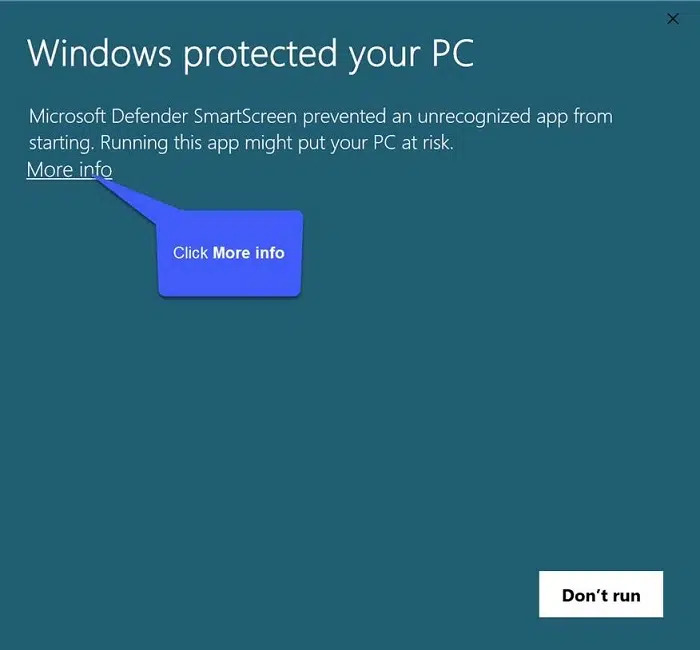
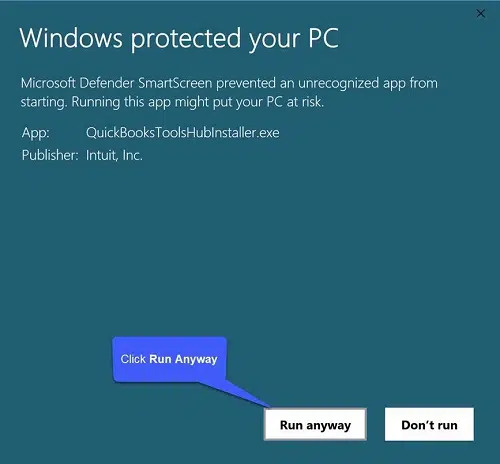
Sometimes, users receive a message that QuickBooksToolHub.exe has been blocked because it may harm their device. You could try downloading the QuickBooks Tool Hub in a different web browser.
Also, Microsoft Defender could pop up a message shown in the image below:
Click on More Info.
Select Run anyway and let it install the QuickBooks Tool Hub.
Do not use QB Tool Hub for QuickBooks Online or QuickBooks Desktop for Mac.
Use Network Issues only on the server, not workstations.
Check your QB Tool Hub version occasionally; Intuit updates the tool inside the hub.
Expect long scans on large files; do not interrupt the QB File Doctor or Diagnostic program.
If a Tool Hub needs an add-on, the tool hub downloads it in the background and lets the tool finish the download.
Conclusion
We introduced you to the QuickBooks Tool Hub, which is an important component for every QuickBooks Desktop user. In this guide, you should have understood what the QuickBooks Tool Hub is, how to install it, and where (and where not) to use it. The Pro-tips in this guide are the rarest of rare guides you will get only on this page.
You can share and bookmark this guide for further use. Do you have any queries about QuickBooks software, Online, or Mac? Talk to our senior QuickBooks Specialist at+1(866)500-0076.
Frequently Asked Questions
1. What is QuickBooks Tool Hub?
QuickBooks Tool Hub is Intuit’s free tool that fixes common QuickBooks errors that do not require any technical help. Every QuickBooks Desktop user must have the tool hub installed in the workstation(s).
2. What is the QuickBooks Tool Hub’s primary use?
QB Tool Hub’s primary purpose is to protect the QuickBooks application from errors and fix any QuickBooks error that blocks its functioning.
3. Why is my QuickBooksToolHub.exe file blocked?
Windows firewall or an installed antivirus may take it as a threat. It results in blocking the application’s installation. You need to change the settings and set permissions to allow it to download the QuickBooks Tools Hub1.6.0.8.
4. What kind of QB errors can the QuickBooks tool hub for Windows 11 fix?
There are numerous errors the tool hub can easily fix, such as installation errors, H-series errors (H202, H303 & H505), 6XXX series errors, and more. The best part is that the QuickBooks Repair Tool Hub can fix such errors.
5. How to use QuickBooks Tool Hub 2025 features?
You can quickly learn to use the features of QuickBooks Tool Hubs. We provided a dedicated overview to make quick use of the Tool Hub.
To contact QuickBooks Tool Hub support, dial ******** or start a live chat on the website.
8. How to download the QuickBooks Tool Hub?
If you are looking to download the QuickBooks Tool Hub, simply click download.
About The Author
Lana Creston is an experienced technical and accounting writer with a total of 9 years of experience. She currently works on QuickBooks accounting and technical guides at QuickBookSupportNet. Lana has a passion for reading and writing about various technical topics, especially exploring new accounting methods and software, while continuously expanding her expertise in the ever-evolving field of finance and technology.
Effortlessly handle data tasks or get expert assistance with: